


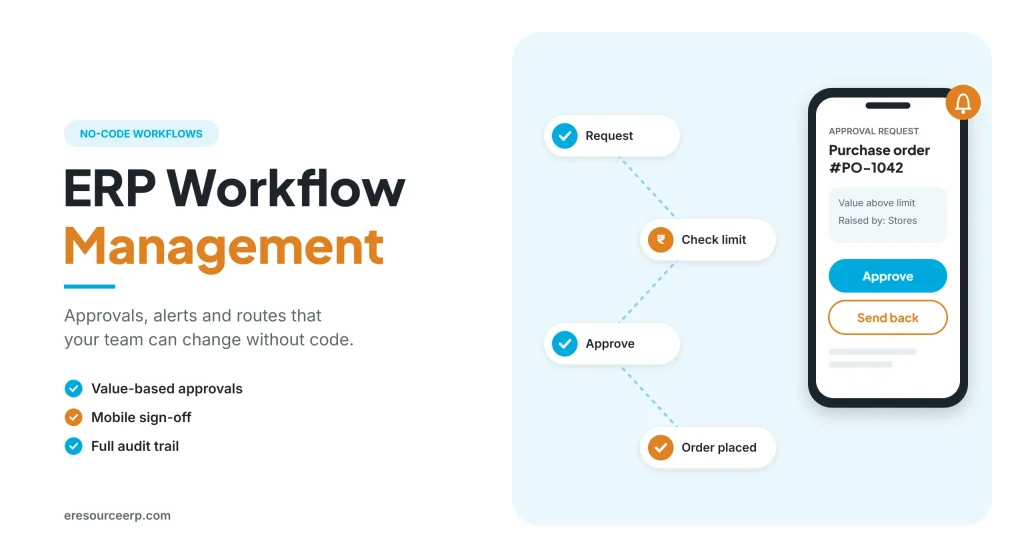
ERP workflow management is how a modern ERP routes documents, approvals and alerts between people automatically, so work keeps moving without emails, phone calls or programmers. Earlier, first-generation ERP was rigid. Even a small change to a screen needed a programmer and access to source code. Today, however, teams can set their own rules, approvals and alerts. As a result, the system adapts to the business, not the other way round. So this guide explains how ERP workflow management works, where it helps most and how to set it up.
Key takeaways
- Rules, not reminders: the system routes each document, so it reaches the right person at the right time.
- Freedom to change: modern tools let teams adjust approvals and alerts without code.
- More control: value limits, holds and audit trails also protect cash and stock.
- Faster work: managers approve from the office or their phone, so nothing waits.
What is ERP workflow management?
A workflow is a set of steps a document follows, from the person who creates it to the person who closes it. In other words, it decides who does what, in which order and under which conditions. For the general idea, see this guide to a workflow management system.
Unlike email, in an ERP these steps run inside the same system as your sales, purchase, stock and accounts. Therefore, ERP workflow management can check live data, such as order value or credit limit, before it moves a document. For the basics, read how an ERP system works.
Old ERP vs modern ERP
Previously, older ERP systems locked teams into fixed processes. In contrast, modern ERP gives them room to adapt. The table below shows the difference:
| Need | First-generation ERP | Modern ERP |
|---|---|---|
| Change a screen layout | Programmer and source code | Drag and drop by a key user |
| Add a new field | Custom development | No-code form builder |
| Set an approval rule | Hard-coded, slow to change | Set by value, role or branch |
| Send an alert | Manual email or call | Automatic email and app alerts |
| Bring in old data | Costly, manual conversion | Import templates with checks |
So, instead of paying to customise an outdated system, many firms now move to a flexible platform. For more, read about ERP vs custom software and the modern ERP system.
How ERP workflow management works
Generally, every workflow follows the same simple pattern. For example, here is how a purchase request moves through the system:
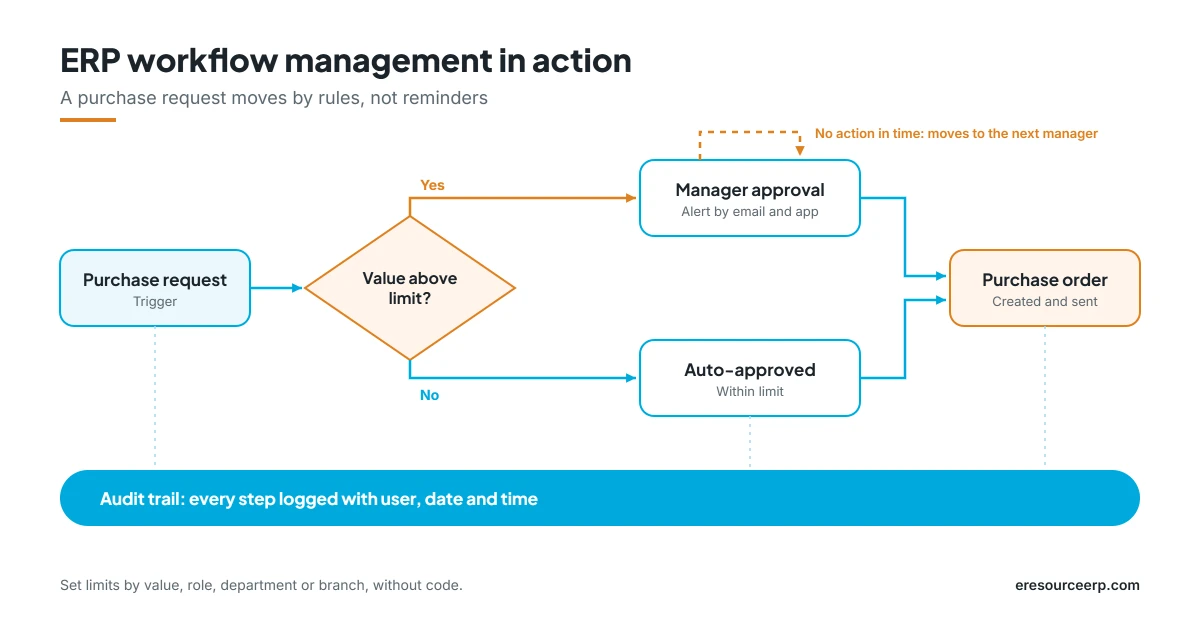
- Trigger: first, an event starts the flow, such as a new purchase request.
- Condition: next, the system checks a rule, for instance whether the value is above a set limit.
- Action: then it approves, holds or routes the document to the right person.
- Alert: at the same time, the approver gets an email or app notification.
- Escalation: if nobody acts in time, the request moves up to the next manager.
- Audit trail: finally, the system logs every step with the user, date and time.
In short, ERP workflow management replaces follow-up calls with clear rules. Also, because it runs on live data, the right check happens every time.
Common approval flows
Most businesses start with a few high-value flows, such as these:
- Purchase approvals: orders above a limit go to the department head, then to finance.
- Sales discounts: discounts beyond the standard rate need a manager’s approval.
- Credit holds: orders stop when a customer crosses the credit limit, until accounts release them.
- Goods receipt checks: quantity or rate mismatches with the order trigger a review.
- Quality holds: failed inspections block stock, so nobody can issue or ship it.
- Payments: vendor payments wait until the bill, receipt and order match.
Also, for a closer look at the buying side, read about the procurement process in ERP.
Benefits of ERP workflow management
Once the rules are in place, teams feel the change quickly. So here is what improves:
- Speed: documents move to the next person at once, rather than waiting in an inbox.
- Control: limits and holds stop costly mistakes before they happen.
- Fewer errors: the system checks values and matches, so people do not have to.
- Clear accountability: the audit trail shows who approved what, and when.
- Working freedom: managers approve on the move, while teams adjust rules without IT.
- Easy audits: auditors can see the full history of any document in a few clicks.
As a result, ERP workflow management gives both freedom and control. To see how the same idea helps the whole business, read about ERP for business flexibility and mobile ERP software.
How to set up your approval rules
Still, a good setup takes a little planning, so follow these steps:
- Map today’s approvals: first, list who approves what now, including informal ones.
- Set clear limits: next, define value limits by role, department or branch.
- Name owners and backups: then add a backup approver for leave and travel.
- Add alerts and escalation: after that, decide when a request should move up.
- Test with real cases: also, run a few live documents before you switch on.
- Review every month: finally, remove steps that slow work without adding control.
Keep the first version simple, because you can add steps later. In addition, a short ERP fit-gap analysis and good ERP training help teams accept the new flow.
Moving data from an older system
Many firms stay on an ageing ERP because moving old data looks costly. However, modern import tools make it much easier. For instance, templates pull data from the old system, while integrity checks catch errors before they load. Clean masters matter most, so read about master data in ERP. If you are unsure whether to move at all, see if your ERP is ripe for replacement.
ERP workflow management in eresource
eresource is a web-based, AI-powered and no-code ERP with 37 integrated modules on one platform. It has also served businesses for 20 years, with 3,000+ go-lives. So here is how it supports flexible workflows:
- No-code workflow builder: set approvals, holds and routes yourself, without a programmer.
- Value-based, multi-level approvals: different limits by role, department or branch.
- Alerts: email and app notifications, so approvers never miss a request.
- Mobile approvals: managers approve orders and payments from their phone.
- Full audit trail: the system logs every action, so audits stay simple.
- Data import tools: templates and checks for a smooth move from an old system.
Finally, read about no-code ERP, see the future-proof ERP system, or browse all eresource ERP products.
Frequently asked questions
What does ERP workflow management mean?
In short, it is the set of rules that moves documents, approvals and alerts between people inside the ERP, based on live data such as value or credit limit.
Do we need a programmer to change rules?
Not in a modern no-code ERP. Instead, trained key users can change approvals, limits and alerts themselves.
What is a multi-level approval?
It is a chain of approvers. For example, a large order may need the department head first, then finance.
Can managers approve on mobile?
Yes. In eresource, for example, managers can review and approve requests from the mobile app.
How does ERP workflow management reduce errors?
It checks values, limits and matches automatically. So it stops mistakes before a document moves on.
Does eresource support custom approval flows?
Yes. You can set rules by value, role, department or branch, and teams can then change them without code.
Want to see ERP workflow management in action? Book a free demo, or start with a free ERP assessment.
Also Read – How eresource Xcel Makes Business Life Easy



