


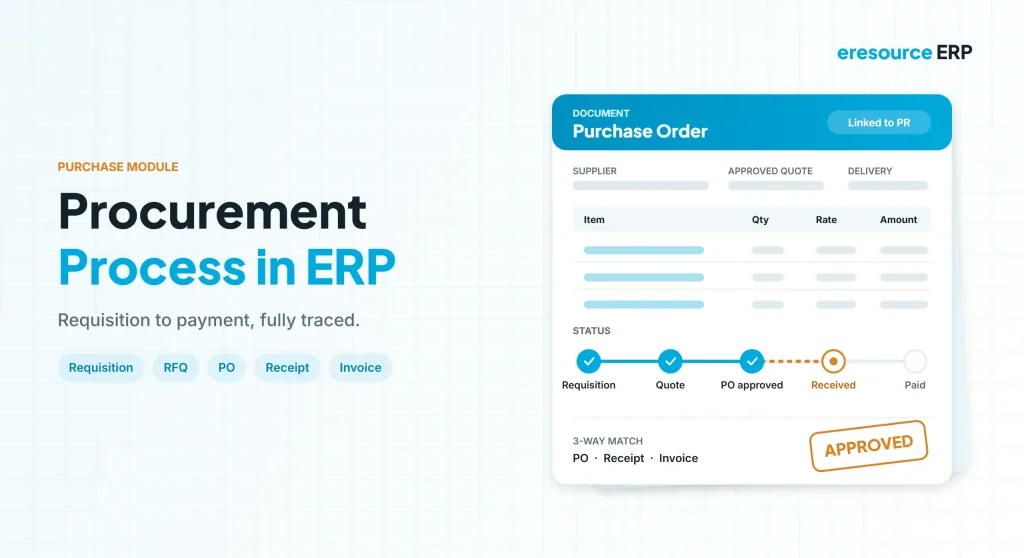
The procurement process in ERP takes a material need from requisition to supplier payment in one connected flow, so nothing is bought without approval and every rupee can be traced. Of course, buying looks simple: find a supplier, place an order, pay the bill. In practice, however, purchase teams juggle requisitions, quotes, follow-ups, receipts and invoices across many suppliers. As a result, small gaps lead to stock-outs, excess stock or paying the wrong price. This guide explains how the procurement process in ERP works, step by step, and what a good purchase module should do.
Key takeaways
- No buying without a reason: every order starts from an approved requisition.
- Each document builds on the last: quote, order, receipt and invoice share the same data.
- Live order status: see what is pending, partly received, invoiced or on hold.
- Linked to the business: purchase works with stores, production, sales and finance.
What is the procurement process in ERP?
The procurement process in ERP is the set of steps a company follows to buy goods and services through its ERP system. For example, it covers raw materials, packing material, sub-assemblies and non-stock items such as services.
In eresource, the purchase module handles this flow. Moreover, it links tightly with inventory, sales, production and finance. Because each document is based on the one before it, nobody re-types data, and human errors drop sharply.
Manual purchasing vs procurement process in ERP
Overall, the table below shows how buying changes once it moves into an ERP:
| Area | Manual purchasing | Procurement process in ERP |
|---|---|---|
| Requirements | Verbal requests or emails | Requisitions from users or planning |
| Quotations | Compared by hand in spreadsheets | Side-by-side comparison in the system |
| Approvals | Signatures on paper | Workflow with set limits |
| Order status | Phone calls to suppliers | Live status on every order line |
| Receipts | Typed again from the order | Created from pending order lines |
| Invoices | Checked by hand | Matched to order and receipt |
8 steps of the procurement process in ERP
Specifically, here is the full cycle, from first need to final payment.
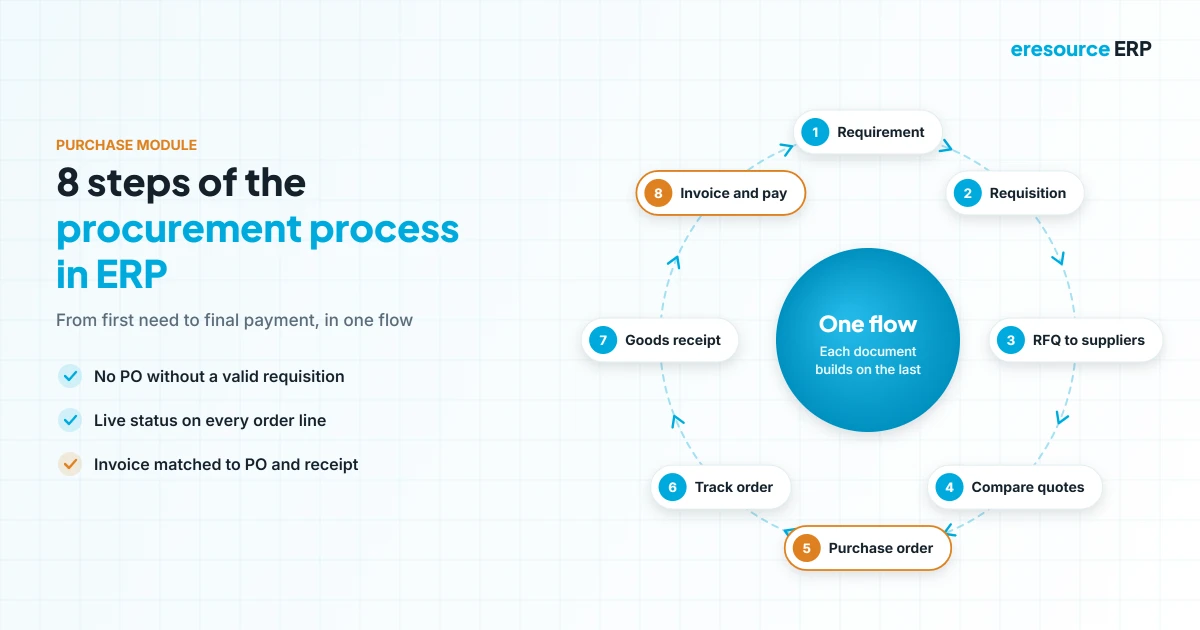
1. Identify the requirement
First, a need comes from a user department or from material planning. For instance, the system can flag items that fall below reorder level or forecast demand from past use.
2. Raise a purchase requisition
Next, a user enters a requisition, or planning creates one on its own. In fact, eresource never allows a purchase without a valid requisition.
3. Find sources and send RFQs
Then the system suggests suppliers from past orders and long-term agreements. Consequently, the team can send requests for quotation by email in minutes.
4. Compare quotes and select a vendor
After that, quotes appear side by side for price, terms and delivery. Once a supplier is chosen, the system can also send rejection letters to the others.
5. Create the purchase order
Then the PO pulls details from the requisition and the approved quote. Alternatively, a direct PO can be raised when a rate contract is already in place.
6. Track the order
Meanwhile, buyers see the live status of every order: pending, partly delivered, delivered, invoiced or frozen. Clearly, this live view is a key gain of the procurement process in ERP.
7. Receive and inspect goods
When goods arrive, the receipt is created from pending order lines. After that, quality checks decide what moves to stock, production or customer orders.
8. Match the invoice and pay
Finally, the supplier invoice is created from order or receipt lines. As a result, accounts payable updates at once, so finance can plan payments with confidence.
Direct PO vs quotation-based PO
However, not every purchase needs a fresh round of quotes. In short, the two routes work like this:
- Quotation-based PO: best for new items, large values or changing prices. In this case, the order follows an approved quote.
- Direct PO: best for repeat items under a rate contract. Instead, the order uses the agreed rate, which saves time.
Still, the PO always links to a requisition, so the procurement process in ERP keeps a complete audit trail.
Key features of a good purchase module
When you compare systems, check that the purchase module supports each part of the procurement process in ERP. In particular, look for these features:
- Purchase planning: suggests orders from minimum stock, receipt dates and pending requests.
- Orders from sales orders: creates POs directly for items bought against a customer order.
- Prices and discounts: applies supplier-wise rates and terms from the masters.
- Order corrections: changes quantities, dates or terms with a full history.
- Automatic receipts and invoices: builds them from pending order lines.
- Expense invoices: records service and overhead bills in the same flow.
- Supplier evaluation: rates vendors on price, quality and delivery over time.
Benefits of an ERP-driven procurement process
Above all, a well-run procurement process in ERP saves both money and time:
- Lower costs: quote comparison and rate contracts stop overpaying.
- Fewer stock-outs: planning raises requests before stock runs out.
- Less excess stock: buyers order only what plans and orders need.
- Clean audits: every PO traces back to a requisition and an approval.
- Faster closing: invoices post to accounts as soon as they are matched.
How to improve your procurement process in ERP
- Set reorder levels: first, define minimum stock for key items.
- Fix approval limits: next, decide who can approve orders of each value.
- Use rate contracts: then agree fixed rates for repeat items with key suppliers.
- Match before paying: after that, check every invoice against its order and receipt.
- Review suppliers: finally, rate vendors every quarter and act on the results.
For broader background, see this overview of procurement. Also, keep supplier and item records clean with our guide to master data in ERP.
Why eresource for purchase and procurement
eresource is a web-based, AI-powered and no-code ERP with 37 integrated modules on one platform. In addition, it covers the full procurement process in ERP and has 20 years of experience, with 3,000+ go-lives.
- Full cycle in one module: requisition, RFQ, comparison, PO, receipt and invoice.
- Requisition control: no purchase without a valid, approved request.
- Direct and quote-based POs: handle rate contracts and new buys alike.
- Live order status: pending, partly delivered, invoiced or frozen at a glance.
- Integrated: works with stores, production, sales and finance on one database.
- Unlimited users: give every buyer and approver access without extra license fees.
To learn more, read about the purchase management module, the finance module and the ERP sales module. You can also see ERP software for manufacturing, ERP for the automobile industry and construction ERP software.
Frequently asked questions
What is the procurement process in ERP?
It is the flow of buying through an ERP, from requirement and requisition to quotation, purchase order, goods receipt, invoice and payment.
What are the main steps in ERP procurement?
In short, the main steps are requirement, requisition, RFQ, quote comparison, purchase order, order tracking, goods receipt, and invoice matching with payment.
What is the difference between a direct PO and a quotation-based PO?
A direct PO uses an agreed rate contract. In contrast, a quotation-based PO follows a fresh comparison of supplier quotes.
Can the ERP create purchase requisitions automatically?
Yes. For example, material planning can raise requisitions when stock falls below reorder level or when production and sales orders need items.
How does the purchase module link to accounts?
First, the system creates supplier invoices from order or receipt lines. So accounts payable updates as soon as an invoice is matched.
Does eresource support supplier evaluation?
Yes. eresource records supplier performance so buyers can compare vendors on price, quality and delivery.
Want to see the procurement process in ERP on your own items? Book a free demo, or start with a free ERP assessment.
Also Read – ERP Sales Module: From Lead to Order in One System



