


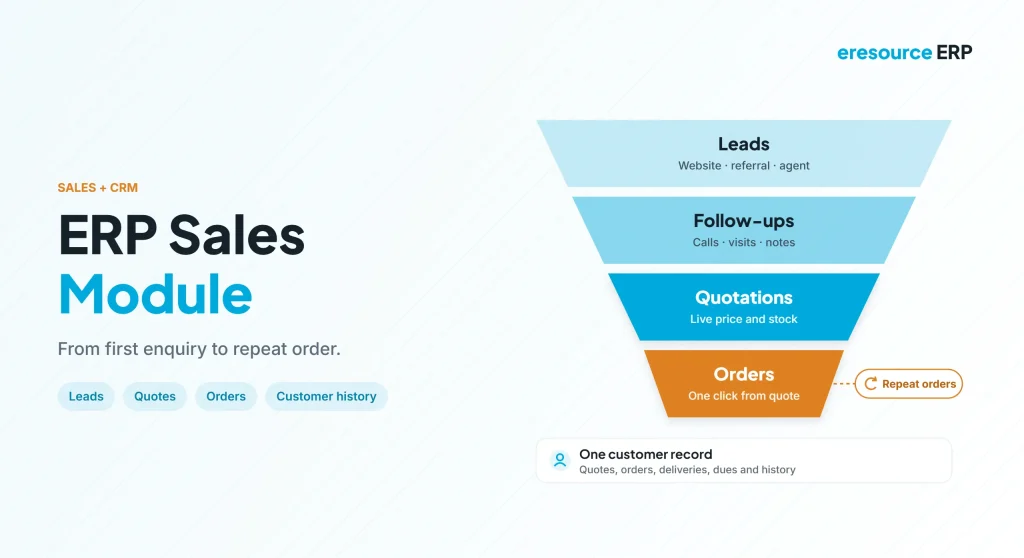
An ERP sales module manages the full journey from first enquiry to confirmed order, so your team can quote faster, promise realistic dates and keep customers coming back. Every business depends on its customers. Yet many sales teams still track leads in notebooks, build quotes in spreadsheets and call the store to check stock. As a result, replies are slow and follow-ups slip. This guide explains what an ERP sales module does, how it works with CRM, its key features and how to choose one.
Key takeaways
- Lead to order in one place: enquiries, quotes and orders share the same customer record.
- Faster, accurate quotes: live prices, stock and history sit on one screen.
- Sales and CRM together: the same module builds relationships and books orders.
- Linked to the whole business: orders flow straight to stores, production and accounts.
What is an ERP sales module?
An ERP sales module is the part of an ERP system that handles selling. For example, it covers leads, contacts, quotations, sales orders, pricing and order tracking. Because it shares one database with other modules, every order also updates stock, production plans and accounts.
In eresource, the sales module has two main parts: contact management and sales order processing. Together, they combine marketing and sales work in one place. That is why the module also acts as a customer relationship management (CRM) tool.
ERP sales module vs standalone CRM
Many companies start with a separate CRM. However, the gap appears when a deal turns into an order. The table below compares the two:
| Area | Standalone CRM | ERP sales module |
|---|---|---|
| Leads and contacts | Strong | Built in, linked to orders |
| Quotations | Prices often typed by hand | Live prices and rates from masters |
| Stock check | Call or email the store | Live stock on the same screen |
| Order to invoice | Re-entered in another system | Flows straight to dispatch and accounts |
| Customer history | Sales activity only | Orders, deliveries, dues and payments |
In short, a CRM tracks the relationship, while an ERP sales module carries it through to delivery and payment. To read more about the wider idea, see this overview of customer relationship management.
How an ERP sales module works: lead to order
For example, here is how a typical deal moves through the system:
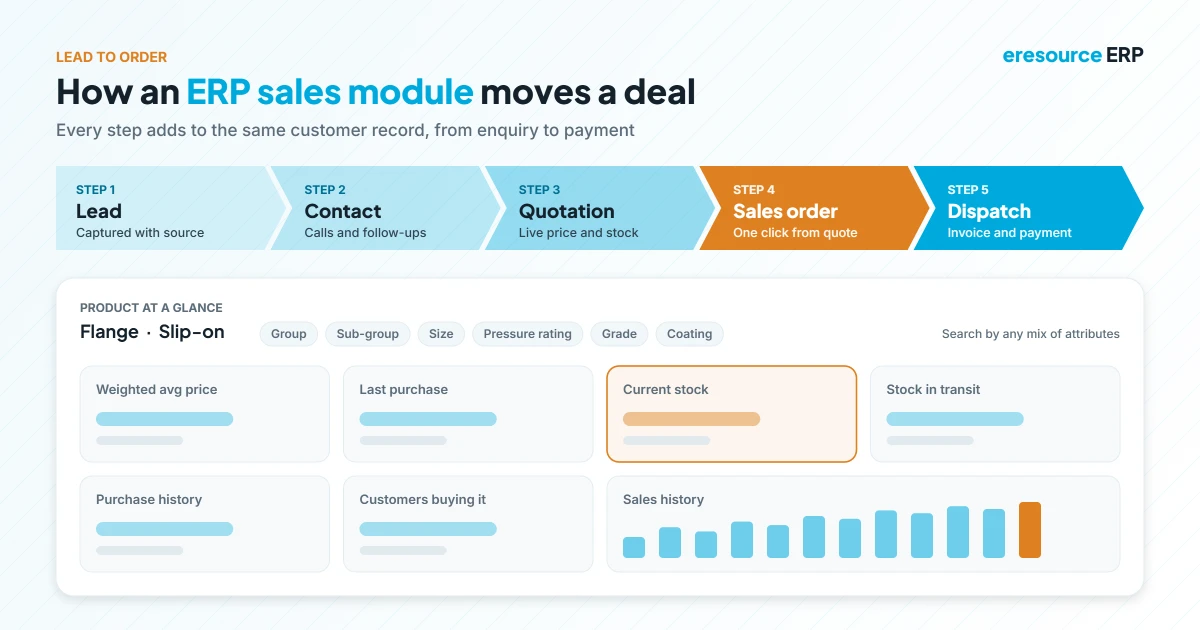
- Capture the lead: first, the sales person records the enquiry and its source.
- Manage the contact: next, the team logs calls, visits and follow-up dates.
- Send a quotation: then they build a quote from current prices and stock.
- Convert to a sales order: after that, the approved quote becomes an order with one click.
- Track to delivery: finally, everyone can see dispatch, invoice and payment status.
Meanwhile, the customer record grows with every step. So the next person who talks to that customer sees the full story.
Key features of an ERP sales module
In short, look for these seven features when you compare systems.
1. Lead and source tracking
First, record every enquiry with its source, such as a website, trade show, referral or agent. Then you can see which channels bring real orders.
2. Contact management
Next, keep each customer’s people, addresses, calls and notes in one record. As a result, follow-ups no longer depend on one person’s memory.
3. Quick quotations
Also, the system should pull customer-wise rates, discounts and terms from the masters. So a quote takes minutes, not hours.
4. Quote to order in one click
Once the customer agrees, the quote turns into a sales order without typing it again. As a result, this step removes a common source of errors.
5. Smart product search
In addition, products can be classified on several levels. For example, a flange maker can sort items by group, sub-group, size, pressure rating, wall thickness, grade, end type and coating. Then sales can find the right item by any mix of these.
6. One-screen product view
Moreover, one screen should show everything about a product: weighted average price, last purchase, sales history, current stock, stock in transit and purchase history. Therefore, sales can quote with confidence.
7. Order tracking and customer insight
Finally, sales and management should see open orders, dispatches and dues at a glance. Over time, this history shows who buys what, how often and at what margin.
Why the ERP sales module also works as a CRM
Above all, good selling is about keeping customers, not just winning one order. Because the ERP sales module stores every quote, order, delivery and payment, it gives a true view of each customer.
For instance, a sales manager can spot a regular buyer who has gone quiet. Likewise, the team can see which customers pay late before offering new credit. As a result, the module helps improve loyalty, service and marketing, not just order entry. For a dedicated CRM layer, see eresource CRM.
Benefits for sales teams and management
- Faster replies: quotes go out the same day, with live prices and stock.
- Fewer errors: the order is entered once and shared with every team.
- Realistic promises: delivery dates reflect actual stock and production.
- Better follow-up: reminders and history keep every lead moving.
- Clear reports: managers see pipeline, orders and sales by customer or product.
How to choose an ERP sales module
- Map your sales cycle: first, list each step from enquiry to payment.
- Check product search: next, test whether the system handles your item variants.
- Test quote to order: then confirm that a quote becomes an order without re-typing.
- Look at integration: after that, check that orders update stock, production and accounts at once.
- Ask for mobile access: finally, make sure field staff can check stock and orders on the move.
Also, keep your customer and item records clean from day one. Learn how in our guide to master data in ERP.
Why choose eresource for sales
eresource is a web-based, AI-powered and no-code ERP with 37 integrated modules on one platform. It has also served businesses for 20 years, with 3,000+ go-lives.
- Contact management and order processing: leads, quotes and orders in one module.
- Multi-level product classification: find any item by group, sub-group or technical attribute.
- Product at a glance: price, stock, in-transit and sales history on one screen.
- Fully integrated: orders flow to stores, production, dispatch and accounts.
- Unlimited users: add every sales person without extra license fees.
- Industry editions: ready processes for manufacturing, process industries, construction and trading.
To learn more, read about the sales and distribution module, the marketing module in ERP, the purchase module, and how integrated ERP modules share data.
Frequently asked questions
What is an ERP sales module?
It is the part of an ERP that manages leads, contacts, quotations, sales orders and order tracking, linked to stock, production and accounts.
Is the ERP sales module the same as CRM?
Not exactly. A CRM focuses on relationships, while the sales module also turns deals into orders. In eresource, the sales module covers both.
Can a quotation become a sales order automatically?
Yes. Once the customer agrees, the quote converts to a sales order without re-typing items, prices or terms.
How does the sales module help with product search?
Products are classified on several levels, such as group, sub-group, size and grade. So sales can find items by any mix of these.
What does the product view show?
It shows weighted average price, last purchase, sales history, current stock, stock in transit and purchase history on one screen.
Does eresource charge per sales user?
No. eresource uses one flat license with unlimited users, so you can add every sales person.
Want to see the eresource ERP sales module with your own products? Book a free demo, or start with a free ERP assessment.
Also Read – ERP Software for Manufacturing Industry



