


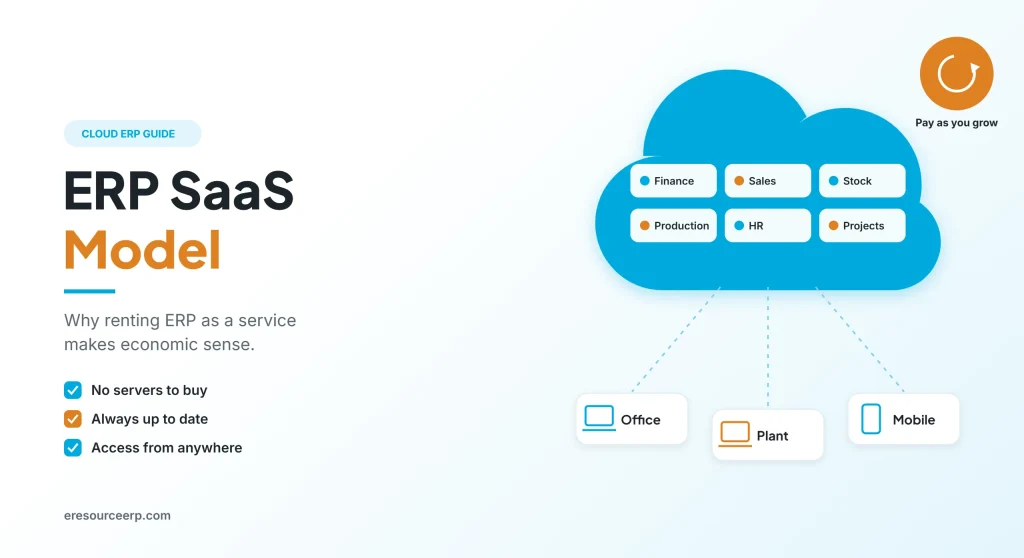
In the ERP SaaS model, you use ERP as a service: the provider hosts, runs and updates the software, while your teams simply log in through a browser for a regular fee. As a result, there are no servers to buy and no upgrades to manage. Therefore, SaaS has become the most economical way for growing Indian businesses to adopt ERP. So this guide explains how the ERP SaaS model works, who manages what, when it fits and what to check before you sign.
Key takeaways
- Rent, do not own: you pay a regular fee instead of a large upfront purchase.
- Shared roles: the provider runs the technology, while you own your data and processes.
- Economical by design: no hardware and a smaller IT team, as well as a faster go-live.
- Check before you sign: above all, security, uptime, pricing and data export matter.
What is the ERP SaaS model?
SaaS stands for software as a service. In other words, the software lives on the provider’s servers, and you reach it over the internet. Meanwhile, the provider looks after hosting, backups, security patches and new versions.
In practice, the ERP SaaS model turns a big one-time purchase into a planned, regular expense. Also, you can add users, modules or branches when the business grows. For the basics of how the system itself works, read how an ERP system works.
Who manages what in an ERP SaaS model
First, the biggest change is who looks after the technology. So the table below compares the two models:
| Task | On-premise ERP | SaaS ERP |
|---|---|---|
| Servers and hardware | You buy and replace them | The provider runs them |
| Backups | Your IT team | The provider |
| Software updates | You plan and install them | The provider rolls them out |
| Security patches | Your IT team | The provider |
| Extra capacity | Buy new servers | The provider adds it |
| Users and roles | You | You |
| Data and processes | You | You |
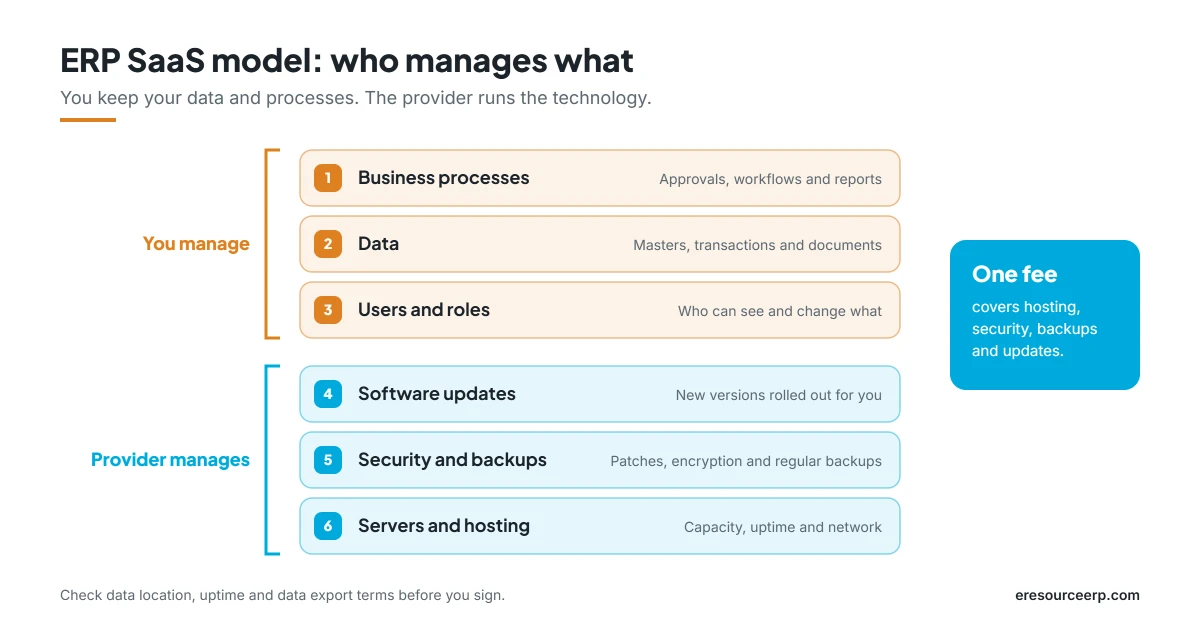
So you keep full control of your data and processes, while the provider handles the technology. Also, for a deeper comparison, read about cloud ERP vs on-premise.
Why the ERP SaaS model is economically viable
Several savings come together, so the ERP SaaS model becomes the most affordable route for many firms:
- No upfront hardware: first, there are no servers, data rooms or backup devices to buy.
- Predictable fees: you pay a regular operating cost instead of a large capital spend.
- Smaller IT effort: the provider runs the system, so your IT team can focus on business needs.
- Faster go-live: since there is nothing to install, setup can start right away.
- Always up to date: new versions arrive automatically, so there are no costly upgrade projects.
- Pay as you grow: add users, modules or branches only when you need them.
Next, to see the numbers in more detail, read about SaaS ERP cost and the real cloud ERP benefits.
When does the ERP SaaS model fit best?
Generally, the ERP SaaS model suits most growing businesses. Still, it fits some cases better than others.
It is a strong fit for:
- small and mid-sized firms with a lean IT team;
- firms where several plants, sites or branches need one system;
- businesses that want to go live quickly and spread the cost over time;
- teams that need access from the office, the field and mobile.
Think it through when:
- rules require your data to stay on your own premises;
- a key location has very poor internet;
- the business depends on heavy custom code that a shared platform may not allow.
Even then, a private cloud setup or offline-ready mobile apps can often solve the problem. For the bigger trend, read about ERP adoption in SMEs.
What to check before you choose a provider
Not every SaaS offer is equal. Therefore, ask each provider these questions:
- Data and backups: where is data stored, and how often is it backed up?
- Uptime: what availability does the provider commit to, and what happens when it misses that target?
- Security: how are logins, user rights, encryption and audit trails handled?
- Pricing: do fees rise with every user, or is there a flat license?
- Exit: can you export all your data easily if you ever leave?
- Fit and flexibility: does it include ready processes for your industry, plus no-code tools?
- Support: which hours, channels and response times does the plan include?
Also, for a full checklist, read about ERP selection and our guide on ERP software price.
The eresource ERP SaaS model
eresource is a web-based, AI-powered and no-code ERP with 37 integrated modules on one platform. It has also served businesses for 20 years, with 3,000+ go-lives. Moreover, its SaaS model keeps ERP simple and affordable:
- Quick deployment: cloud setup, so you can be live within a couple of weeks.
- Unlimited users: one flat license, so growth never raises your user bill.
- Industry editions: ready flows for manufacturing, process, construction, trading and logistics.
- No-code changes: adjust fields, screens and workflows yourself instead of waiting for developers.
- Anywhere access: browser and mobile app for every team and location.
- Expert support: consultants also guide data migration and training.
Finally, read about SaaS ERP for mid-sized companies, explore cloud ERP software in India, or browse all eresource ERP products.
Frequently asked questions
What is the ERP SaaS model?
In short, it is a way to use ERP as an online service. The provider hosts and updates the software, while you pay a regular fee and log in through a browser.
Is business data safe in the cloud?
Usually, yes. Good providers use encryption, role-based access, audit trails and regular backups. Still, check these points in the contract.
Is the ERP SaaS model cheaper than on-premise?
Generally, yes, in upfront cost. After all, you avoid servers, hardware upgrades and a large in-house IT team.
Can we move from an on-premise system to the cloud?
Yes. First, clean your master data. Then the provider migrates it, and your teams train on the new system before go-live.
Can we export our data if we leave?
Most providers allow it. However, confirm the export format and process before you sign, so you never feel locked in.
Does the eresource ERP SaaS model work on mobile?
Yes. For example, managers can check sales, stock and approvals from the eresource mobile app.
Want to see the ERP SaaS model in action? Book a free demo, or start with a free ERP assessment.
Also Read – Live Demo of eresource ERP System



