


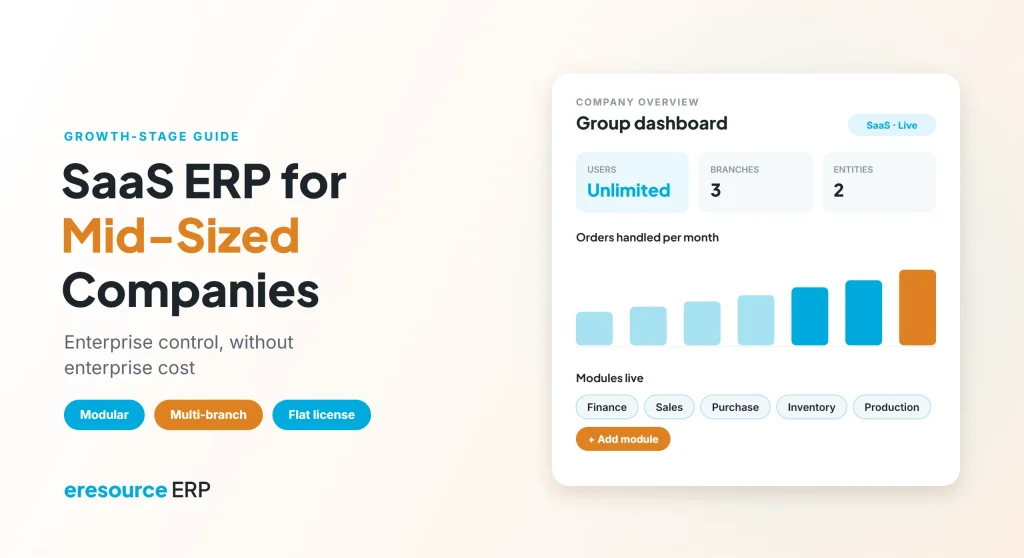
SaaS ERP for mid-sized companies gives growing firms enterprise-grade control without the upfront cost, servers and long projects of a big-company system. Mid-sized businesses face a hard squeeze. On one hand, they have outgrown basic accounting tools and spreadsheets. On the other hand, a large enterprise suite costs too much and takes too long to roll out. Meanwhile, tight economic conditions make every rupee count. This guide explains why SaaS ERP fits this stage, which features matter most, and how to buy and roll out in phases.
Key takeaways
- Mid-sized firms sit in a gap: too big for basic tools, yet too small for enterprise suites.
- SaaS eases cash flow: a regular fee replaces large upfront licenses and servers.
- Buy in phases: start with core modules and add more as needs and budgets grow.
- Write an RFI first: a clear list of needs keeps vendor demos focused on your business.
The mid-sized squeeze: too big for basic tools, too small for enterprise suites
A mid-sized company usually has several departments, a few branches and hundreds of daily transactions. As a result, basic tools start to break:
- Month-end closing takes days because data sits in many files.
- Branches and departments report different numbers.
- Approvals happen over email, so nobody can track them.
- Compliance work grows with every new location or entity.
However, enterprise suites bring their own problems. They often need large licenses, dedicated IT teams and projects that run for a year or more. So many mid-sized firms delay the decision, and the problems keep growing. Fortunately, SaaS ERP for mid-sized companies offers a middle path.
Why SaaS ERP suits mid-sized companies
SaaS ERP runs on the vendor’s cloud, and you pay a regular fee instead of buying everything upfront. For mid-sized firms, this model solves three problems at once.
First, it protects cash flow, because there are no servers to buy and no large license bill on day one. Second, it shortens the project, since there is no hardware to install. Third, it lets you start small and grow. In short, SaaS ERP for mid-sized companies matches spending to real needs. For a detailed cost breakdown, see our guide to SaaS ERP cost.
Basic tools vs enterprise suites vs SaaS ERP
The table below compares the three options a mid-sized company usually weighs:
| Area | Basic tools | Enterprise suite | SaaS ERP for mid-sized companies |
|---|---|---|---|
| Cost to start | Low | Very high | Moderate, spread over time |
| Time to go live | Quick | Long | Weeks to a few months |
| Depth of features | Limited | Very deep | Deep enough for most mid-sized needs |
| Branches and entities | Separate files | Fully supported | Supported on one platform |
| IT team needed | Minimal | Large | Light |
| Room to grow | Low | High | High, module by module |
7 features to look for in SaaS ERP for mid-sized companies
Use these seven features as your checklist when you compare SaaS ERP for mid-sized companies. Together, they decide whether the system will still fit in five years.
1. Modular, pay-as-you-grow setup
First, you should be able to buy only the modules you need today. Then you add more modules as requirements and budgets grow.
2. Multi-company and consolidation
Next, the system should run several branches or legal entities on one platform. Also, head office should see one consolidated view of every entity.
3. Approval workflows
Purchases, discounts and payments above set limits should go to the right approver. As a result, control stays tight even as more people use the system.
4. No-code configuration
Your processes will keep changing. Therefore, your own team should add fields, forms and reports without waiting for a developer.
5. Role-based dashboards
Similarly, owners, managers and staff each need different numbers. So look for live dashboards that show each role what it needs to act on.
6. Built-in compliance
Tax and payroll rules change often. In addition, each new location can bring new rules, so compliance should be part of the core system.
7. Users that scale without penalty
Finally, check how the price changes as headcount grows. Per-user fees can rise quickly, while a flat license keeps the bill steady.
How to choose SaaS ERP for mid-sized companies
A clear process saves months of back-and-forth with vendors. Follow these steps:
- Map your key processes: first, list how orders, purchases, stock, billing and payroll work today.
- Separate must-haves from nice-to-haves: next, agree on what has to work on day one.
- Write a request for information: then send vendors a short request for information (RFI) that explains what the software must do.
- See demos on your own data: after that, ask each shortlisted vendor to run your real processes.
- Price your future headcount: also, request a quote for the users you expect in three years.
- Plan a phased rollout: finally, agree on which modules go live first and which follow.
For more help, read how to choose a right-sized ERP for SMEs and which key ERP modules you need.
A phased rollout that fits your budget
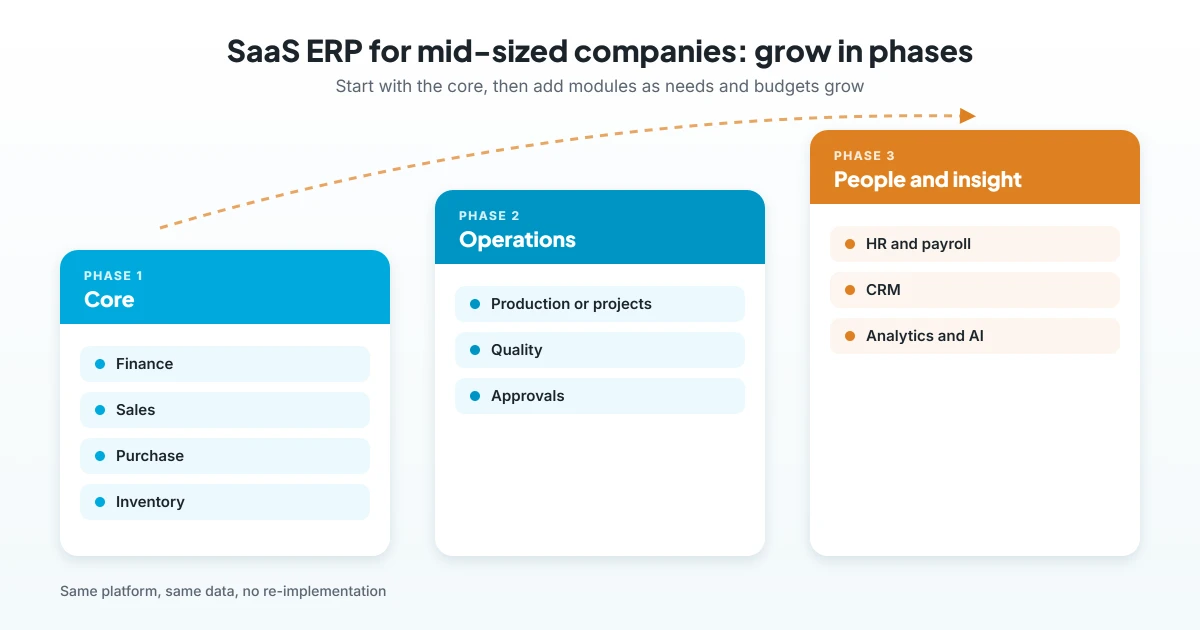
You do not need every module on day one. Instead, a typical mid-sized company can grow the system in three phases:
- Core first: finance, sales, purchase and inventory.
- Operations next: production for factories, or projects for contractors.
- People and insight last: HR and payroll, CRM and advanced analytics.
This approach spreads cost over time, which is a key reason SaaS ERP for mid-sized companies works so well. Moreover, each team learns the system step by step, which improves adoption. For a sample timeline, see how to implement ERP in 90 days.
Why eresource is a SaaS ERP for mid-sized companies
eresource is a web-based, AI-powered and no-code ERP with 37 modules on one platform. It has also served businesses for 20 years, with 3,000+ implementations.
- Unlimited users: one flat license, so you can scale from 50 to 500+ users without extra license fees.
- Modular platform: start with core modules, and then add more from the same system.
- Cloud, on-premise or hybrid: choose the deployment that fits your budget and rules.
- No-code setup: go-live can be up to 3X faster than traditional ERP.
- Group view: consolidated reporting across entities for companies with several branches or countries.
- Compliance built in: GST, ZATCA and e-invoicing, plus statutory payroll for India, the UAE, Saudi Arabia and Nigeria.
In addition, industry editions such as Xcel, Nfra and eTrade come with sector processes built in. To learn more, see why an ERP SaaS model is cost-effective, how an ERP for global business gives one group view, and how to balance flexibility and control.
Frequently asked questions
What is SaaS ERP for mid-sized companies?
It is a cloud-based ERP that mid-sized firms rent for a regular fee. It connects finance, sales, stock, operations and HR without large upfront licenses or servers.
Why do mid-sized companies choose SaaS ERP?
Mainly, it protects cash flow, shortens the project and lets them add modules as they grow. It also needs only a light IT team.
Can we buy SaaS ERP modules in phases?
Yes. In fact, many companies start with finance, sales, purchase and inventory, and then add production, projects, HR or CRM later.
How is SaaS ERP for mid-sized companies different from SME software?
Basic SME tools handle accounts and simple stock. In contrast, a mid-sized SaaS ERP adds multi-branch control, approvals, deeper modules and consolidated reporting.
What should an ERP RFI include?
Generally, it should describe your company, your key processes, must-have features, users, locations and timeline. It should also ask how the vendor prices growth.
Does eresource charge extra as we add users?
No. eresource uses one flat license with unlimited users, so adding people does not raise license fees.
Want to see how eresource fits your company? Book a free demo, or start with a free ERP assessment.
Also Read – Data Visibility: How Better Data Drives Business Growth



