


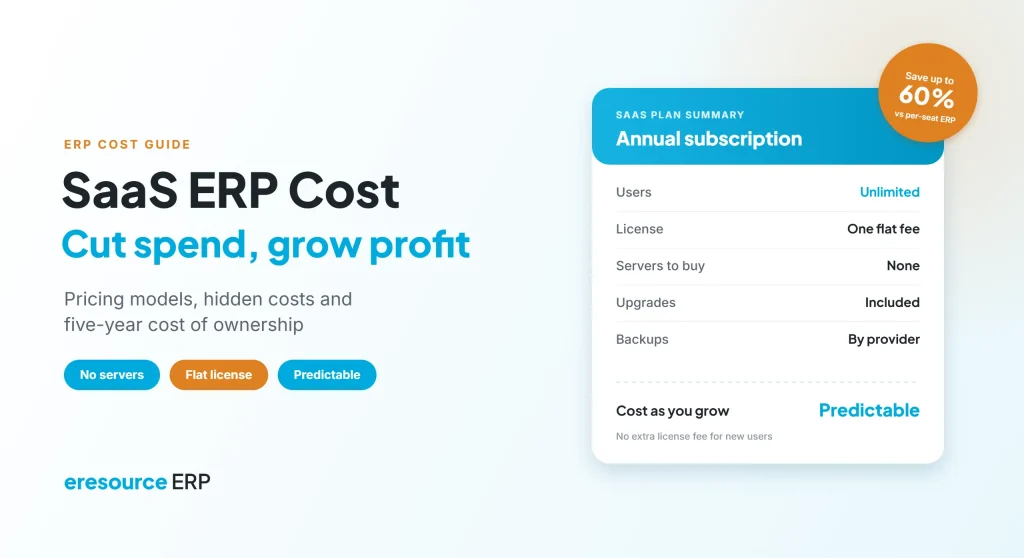
SaaS ERP cost is usually lower and easier to predict than on-premise ERP, because you pay a regular fee instead of buying servers and large upfront licenses. That is why so many companies now choose a SaaS model to cut costs and lift profits. However, not every SaaS deal is cheap in the long run. For example, per-user fees, add-on modules and renewal increases can quietly raise the bill. This guide explains what makes up SaaS ERP cost, how it compares with on-premise, which hidden costs to watch, and how to estimate your own number.
Key takeaways
- Lower upfront spend: SaaS removes most server and hardware purchases.
- Look at five-year cost: compare total cost of ownership, not just the first-year fee.
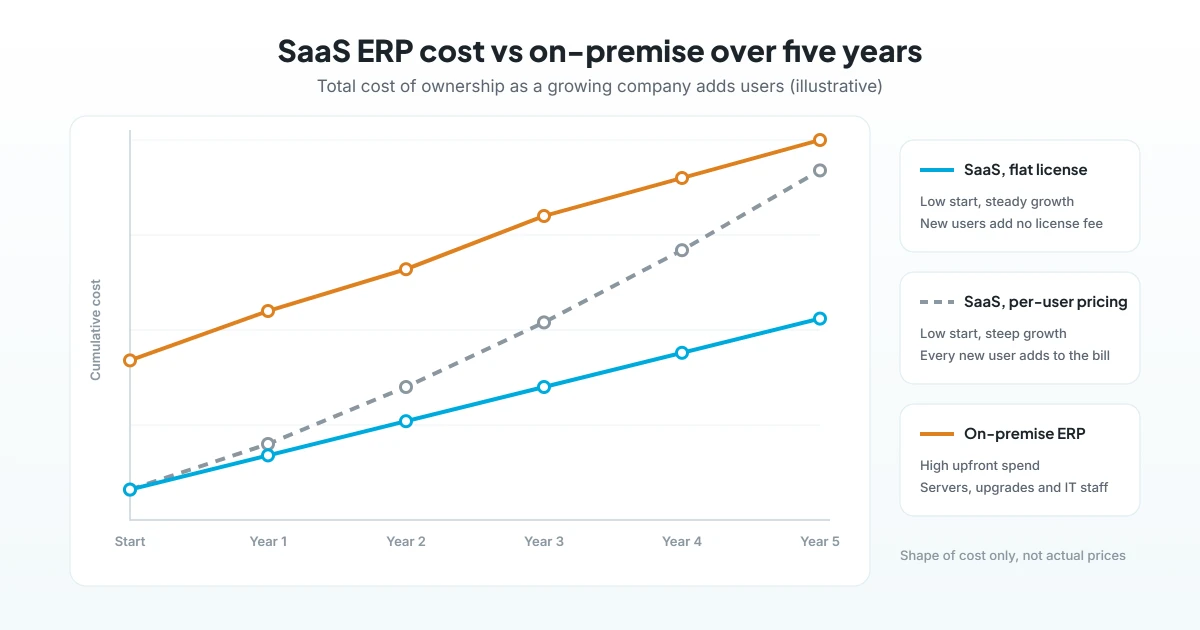
- Pricing model matters most: per-user fees rise with every new hire, while a flat license stays steady.
- Savings come from operations too: fewer errors, better stock control and faster closing all lift profit.
What makes up SaaS ERP cost?
A SaaS ERP runs on the vendor’s cloud, and you access it through a browser. So instead of one large purchase, your SaaS ERP cost is spread across a few parts:
- Subscription or license fee: monthly or yearly, based on users, modules or a flat rate.
- Implementation: setup, configuration and data migration, usually a one-time charge.
- Training: role-based sessions for your team before and after go-live.
- Integrations and changes: links to other tools, plus any custom forms or reports.
- Support and upgrades: often included in the fee, but check the terms.
In addition, you still need reliable internet and devices. These costs are small, but you should count them.
SaaS ERP cost vs on-premise ERP cost
The fairest way to compare is total cost of ownership over five years. The table below shows where the money goes in each model:
| Cost item | SaaS ERP | On-premise ERP |
|---|---|---|
| Upfront license | Low or none | High, paid at the start |
| Servers and hardware | Not needed | Bought and replaced every few years |
| IT staff and upkeep | Light | In-house team or contract |
| Upgrades | Usually included | Separate projects and fees |
| Backups and security | Handled by the provider | Your own responsibility |
| Payment pattern | Regular operating expense | Large capital expense |
| Time to go live | Usually faster | Usually slower |
Overall, SaaS ERP cost is lower in the early years and far easier to budget. Still, the pricing model decides whether it stays low as you grow. For a wider look at deployment choices, read our guide to cloud, on-premise and hybrid ERP.
Common SaaS ERP pricing models
Vendors price SaaS ERP in a few common ways. Each one behaves differently as your company grows:
- Per user, per month: simple to start with. However, the bill rises every time you add a store keeper, supervisor or sales rep.
- Module bundles or tiers: you pay for a package of features. Then moving up a tier can mean a big jump.
- Usage-based: fees depend on transactions or storage, so costs can swing month to month.
- Flat license with unlimited users: one fixed price, so adding people does not change the bill.
As a result, two quotes that look similar in year one can differ widely by year five. So always ask each vendor to price your expected headcount three years from now.
Hidden SaaS ERP cost items to check before you sign
Many surprises appear only after the contract starts. Therefore, ask about these points early:
- Extra fees for users above a set limit, or for read-only users.
- Paid add-ons for modules such as payroll, CRM or quality.
- Storage limits and charges for extra data or attachments.
- Fees for integrations, APIs or premium support.
- Price increases at renewal.
- Charges to export your data if you ever leave.
How SaaS ERP cuts cost and drives profit
Lower IT spend is only part of the story. In fact, most of the profit gain comes from better daily operations.
1. Low upfront investment
First, you skip large license and server purchases. So the cash stays in the business, where it can fund stock, people or new orders.
2. Faster go-live
Next, there are no servers to install, so setup starts quickly. As a result, the benefits begin months earlier.
3. Less IT overhead
Also, the provider handles hosting, backups and upgrades. Meanwhile, your IT team can focus on improvements rather than upkeep.
4. Fewer errors and less rework
With one database, data entered once flows to every department. Therefore, teams spend less time fixing mismatched numbers.
5. Better stock and cash control
Similarly, live stock and receivables help you avoid excess inventory and chase overdue payments sooner. Both free up working capital.
6. Growth without re-buying
Finally, new branches and users join the same system. With a flat license, your SaaS ERP cost stays steady even as headcount grows.
How to estimate your SaaS ERP cost in 5 steps
- Count your users: first, list everyone who needs access today and in three years.
- List the modules: next, note which modules you need now and which you may add later.
- Ask for a five-year quote: then request pricing that includes implementation, training and renewals.
- Add internal costs: after that, include staff time for data cleaning and testing.
- Weigh the savings: finally, estimate gains from less rework, lower stock and faster closing.
For more on returns, see how SMEs get a quicker ERP return, and why an ERP SaaS model is cost-effective for many businesses.
How eresource keeps SaaS ERP cost predictable
eresource is a web-based, AI-powered and no-code ERP with 37 modules on one platform. It also uses a pricing model built to keep costs steady as you grow.
- Unlimited users: one flat license, so you can scale from 50 to 500+ users without extra license fees.
- Save up to 60%: compared with legacy ERP that charges per seat, according to eresource’s cost-of-ownership comparison.
- Cloud, on-premise or hybrid: choose the deployment that fits your budget and rules.
- Faster go-live: the no-code framework enables go-live up to 3X faster than traditional ERP.
- Built-in automation: forecasting, reorder points and approvals come at no extra cost.
- Compliance included: GST, ZATCA and e-invoicing, plus statutory payroll for India, the UAE, Saudi Arabia and Nigeria.
To learn more, read how the SaaS ERP model helps mid-sized companies, the benefits of cloud ERP, and why eresource is a cost-effective ERP.
Frequently asked questions
How much does SaaS ERP cost?
It depends on users, modules and the pricing model. So ask each vendor for a five-year quote that includes implementation, training and renewals.
Is SaaS ERP cheaper than on-premise ERP?
Usually, yes, because you avoid servers, upfront licenses and most IT upkeep. However, compare the total cost over five years before you decide.
What hidden costs come with SaaS ERP?
Watch for extra user fees, paid add-on modules, storage limits, integration charges, renewal increases and data export fees.
Why does per-user pricing raise SaaS ERP cost?
Every new employee who needs access adds to the monthly bill. As a result, costs grow with headcount, while a flat license stays the same.
How does SaaS ERP improve profit?
Besides lower IT spend, it cuts rework, improves stock and cash control, and speeds up month-end closing. Together, these gains lift profit.
Does eresource charge per user?
No. eresource uses one flat license with unlimited users, so adding people does not raise license fees.
Want a clear five-year cost picture for your business? Book a free demo, or start with a free ERP assessment.
Also Read – Web-Based ERP for SMEs: Why It Is the Best Fit



