


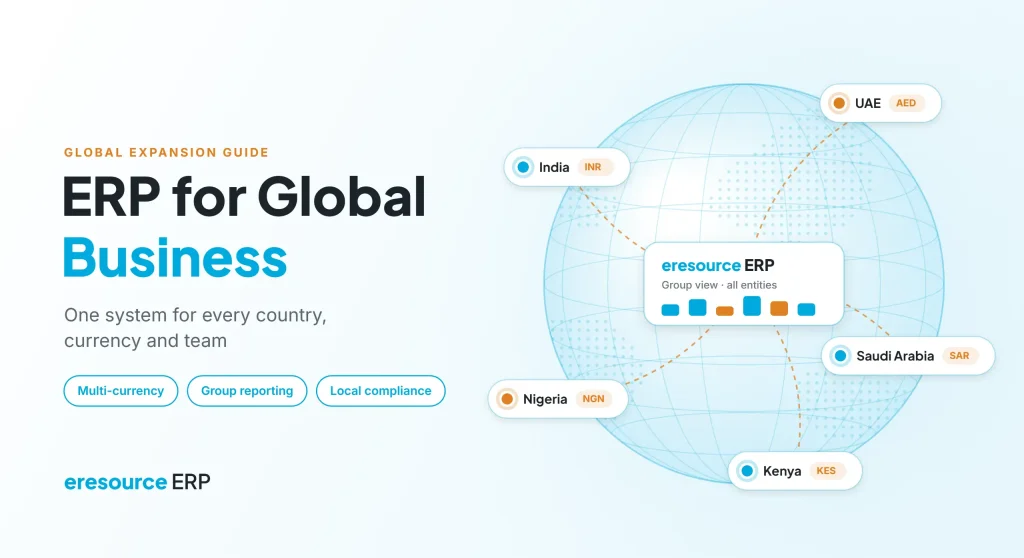
The right ERP for global business turns a risky move abroad into a planned, step-by-step expansion. When you sell in a new country, you also take on a new currency, new tax rules, new payroll laws and a team in another time zone. Spreadsheets and local accounting tools cannot hold all of that together for long. This guide explains what changes when you go global, which ERP features matter most, and how eresource ERP helps companies grow from India into the Middle East and Africa.
Key takeaways
- One system, many countries: a single ERP keeps every entity, branch and warehouse on the same live data.
- Local rules built in: tax, e-invoicing and payroll differ in each market, so your ERP must handle them without add-ons.
- Group view in one click: consolidated reports show margins and cash across all entities.
- Costs that scale: eresource uses one flat license with unlimited users, so new teams abroad add no license cost.
Why a growing company needs an ERP for global business
Most companies start with a few separate tools. For example, one tool handles accounts, another handles stock, and spreadsheets fill the gaps. That setup works in one city. However, it breaks down once you add a second country.
Many eresource customers in India ran an MRP system before they moved to ERP. Over time, they found that the MRP created islands of data. Information did not flow between teams, so managers could not see the whole business. Expansion makes this problem far worse, because every new country adds another island.
An ERP for global business solves this by putting finance, inventory, sales, purchase and HR on one database. As a result, data entered in Dubai shows up in Mumbai at once, and leaders make decisions on the same numbers.
What changes when your business goes global, and where ERP helps
Going global is not only about new customers. It also changes how you run the business every day. So here are the six biggest changes:
- Currencies: you buy, sell and pay salaries in several currencies, and exchange rates move every day.
- Tax and e-invoicing: each country has its own VAT or GST rules, and more governments now require electronic invoices.
- Payroll and labour law: salary rules, end-of-service benefits and visa checks differ by country.
- Legal entities: you often set up a separate company in each market, so you need separate books plus a group view.
- Stock and supply chain: goods move between warehouses, ports and branches in different countries.
- Distance: teams work in different time zones, so they need access to the same system from anywhere.
An ERP brings all six under one roof. Instead of chasing reports from each country, you see the full picture in real time.
Spreadsheets vs ERP for global business: a quick comparison
The table below compares a typical manual setup with the same work on eresource:
| Area | Spreadsheets and local tools | On eresource ERP |
|---|---|---|
| Currencies | Rates typed by hand, so errors creep in | Multi-currency transactions and reports |
| Group reporting | Each country emails its numbers at month-end | Consolidated group MIS across all entities |
| Tax and e-invoicing | Separate tools for each country | GST, ZATCA and e-invoicing built in |
| Payroll | Local payroll files, often outside HR records | Statutory payroll packs for India and the UAE/GCC |
| Inventory | Stock lists that never match | Multi-location, multi-warehouse stock in one view |
| Access | Files shared by email | Web-based access from any country |
| License cost | Grows with every new user | One flat license, unlimited users |
7 features to look for in an ERP for global business
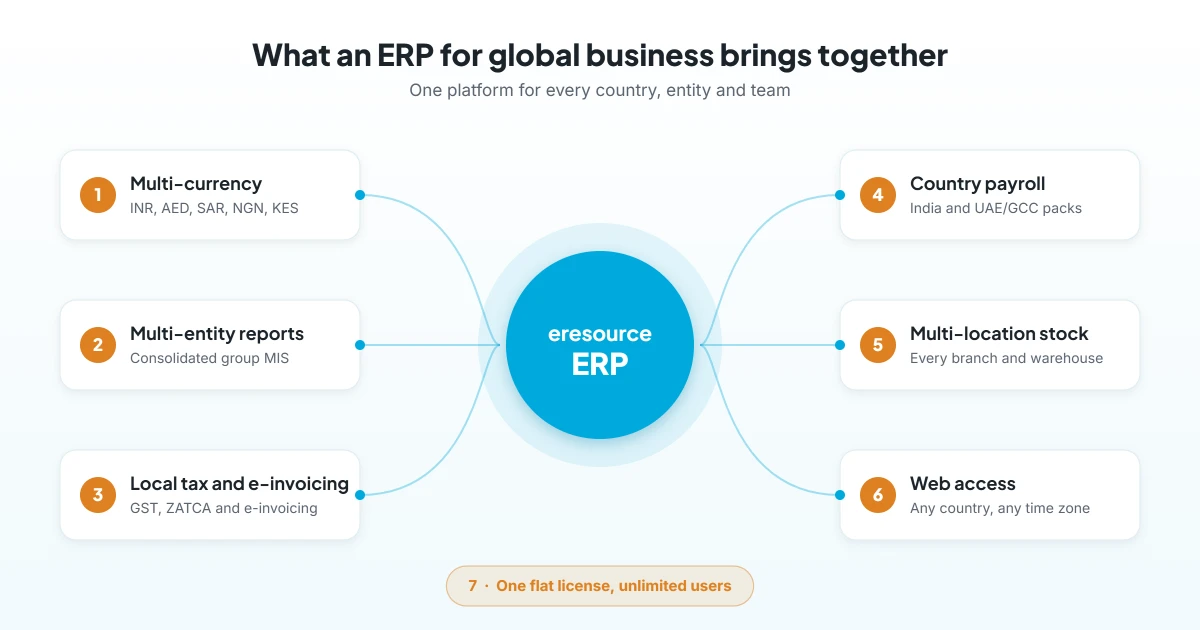
Not every ERP is ready for cross-border work. So check these seven features before you choose an ERP for global business.
1. Multi-currency accounting
Your ERP should record every sale, purchase and payment in its own currency. It should also show the value in your home currency. eresource supports currencies such as INR, AED, SAR, QAR, OMR, USD, NGN and KES. Therefore, finance teams stop converting numbers by hand.
2. Multi-entity setup and group reports
In most groups, each country runs as a separate company. So you need separate books for each entity, plus one consolidated view for the group. With eresource, you can open group MIS across all entities in one click, and then drill down into any country.
3. Local tax and e-invoicing compliance
E-invoicing is spreading fast across the markets that Indian companies target. For example, Saudi Arabia’s ZATCA keeps adding businesses to its Phase 2 integration; its 25th wave must connect by 1 February 2027. Meanwhile, the UAE plans mandatory e-invoicing in phases from 1 January 2027. Nigeria’s revenue service is also rolling out e-invoicing by turnover. eresource has GST, ZATCA and e-invoicing built in. To learn more about the UAE rules, read our guide to UAE e-invoicing compliance risks.
4. Country payroll and HR
Payroll rules also change at every border. eresource HRMS covers India (PF, ESI, PT and TDS) and the UAE/GCC (WPS, EOSB, and visa and document expiry). As a result, HR runs one system for every country, from hire to retire.
5. Multi-location inventory and supply chain
Global trade also means stock sits in many places at once. Therefore, your ERP should track every warehouse, branch and transfer. For instance, eresource eTrade runs multi-branch, multi-warehouse, multi-currency trading on one database.
6. Web-based ERP access for global business teams
Similarly, your team in Lagos should see the same numbers as your team in Mumbai. eresource is a web-based ERP, so users log in from a browser in any country. In addition, managers approve orders and expenses without waiting for office hours.
7. Pricing that grows with you
Many vendors charge for every named user, which punishes growth. In contrast, eresource uses one flat license with unlimited users. So when you hire a new team abroad, you do not pay more for licenses.
How eresource helps you expand across borders
eresource has served businesses for more than 20 years, with 3,000+ implementations and customers in 25+ countries. It is headquartered in Mumbai and has offices in the UAE and Nigeria. Its platform supports markets such as India, the UAE, Saudi Arabia, Qatar, Oman, Bahrain, Kenya, Nigeria and Ghana. Thanks to this reach, many companies choose eresource as their ERP for global business.
Each country can run with its own local tax, payroll and compliance settings. At the same time, the group sees one consolidated view. eresource also offers industry editions, so your processes already match your sector:
- Xcel for discrete manufacturing
- BPro for process manufacturing
- Nfra for construction and contracting
- 3GL for logistics and fleet
- eTrade for trading and distribution
Because eresource is a next-gen ERP, it also uses AzaaleaGPT AI to flag risks and surface what needs attention.
How to take your business global with ERP, step by step
A planned rollout keeps your home business running while you grow abroad. Follow these six steps:
- Pick your first market: first, study demand, tax rules and the cost of setting up a local entity.
- Map your processes: next, list how orders, stock, invoices and payroll will work in the new country.
- Choose a global-ready ERP: then check multi-currency, multi-entity reports, local tax and e-invoicing.
- Clean your master data: after that, fix item codes, customer records and charts of accounts before you migrate.
- Go live in phases: start with one entity, train the local team, and then add the next country.
- Review every month: finally, compare margins, cash and stock across countries in the group view.
Training matters at every step. Read why ERP training is essential, and see why eresource is an easy to implement ERP.
Common mistakes to avoid
- Running each country on a different system, and then fixing the data by hand.
- Treating e-invoicing as a later problem, even though deadlines are already set.
- Choosing per-user pricing that gets expensive as local teams grow.
- Skipping local payroll rules, such as end-of-service benefits in the GCC.
- Waiting for month-end reports instead of using a live group view.
Frequently asked questions
What is an ERP for global business?
It is a single system that runs finance, inventory, sales, purchase and HR across several countries. It handles multiple currencies, legal entities and local tax rules, and it gives leaders one consolidated view.
Why does a global business need ERP?
Each new country adds currencies, tax rules, payroll laws and teams, so complexity grows fast. Without one system, data sits in islands, and reports arrive late. In contrast, an ERP for global business keeps everything connected, so leaders see live numbers.
Does eresource ERP support multiple currencies?
Yes. eresource supports currencies such as INR, AED, SAR, QAR, OMR, USD, NGN and KES, and it shows consolidated reports for the group.
Which countries does eresource support?
eresource serves customers in 25+ countries. Its platform supports markets such as India, the UAE, Saudi Arabia, Qatar, Oman, Bahrain, Kenya, Nigeria and Ghana.
Does eresource handle e-invoicing?
Yes. GST, ZATCA and e-invoicing are built in. Also, statutory payroll covers India and the UAE/GCC.
Is eresource suitable for small and medium businesses?
Yes. eresource suits large groups and SMEs alike. In fact, one flat license covers unlimited users, so a small team can grow abroad without extra license costs.
Ready to plan your next market? Book a free demo, and a consultant will map your global setup on eresource. You can also start with a free ERP assessment.
Also Read – ERP Software Companies in UAE: How to Choose the Right ERP Partner



