


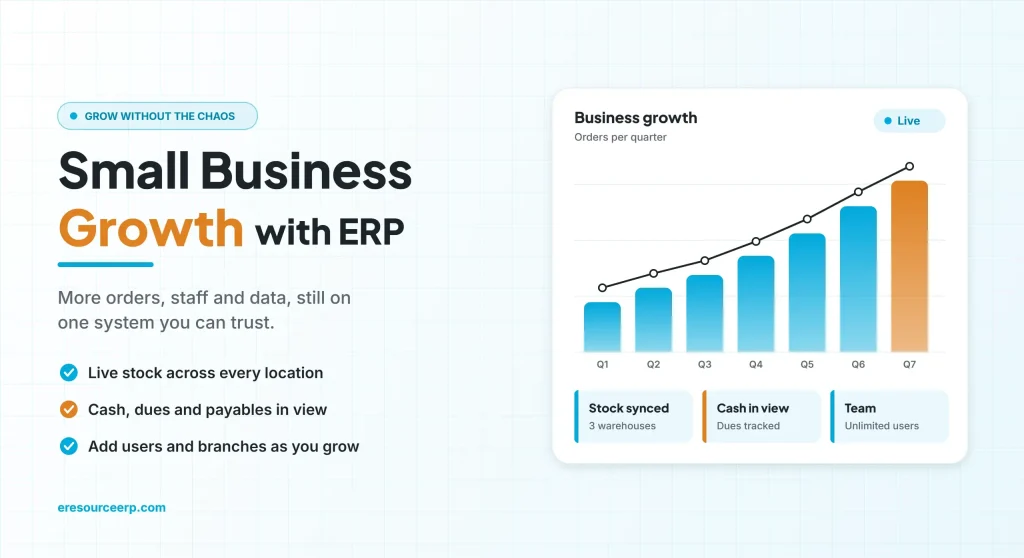
Small business growth brings more orders, more staff and more data, and an ERP keeps all of it in one place so you can scale without losing control. At first, a few spreadsheets and an accounting tool are enough. However, as sales rise, stock goes missing, quotes slow down and nobody is sure how much cash is really free. As a result, growth starts to feel like chaos. So this guide shows where growing companies get stuck, how an ERP helps at each stage, and how to get started.
Key takeaways
- Growth breaks spreadsheets: more people editing more files means more errors.
- One system, one truth: sales, stock, purchase and accounts share the same data.
- Cash stays visible: live dues and payables help you fund the next step with confidence.
- Grow in steps: start with core modules, then add users, branches and features as you expand.
Why small business growth gets harder over time
First, every new customer adds orders, invoices and follow-ups. Meanwhile, every new hire adds another person who needs the right numbers. Without a shared system, each team keeps its own files, so the same order lives in three places.
Then small gaps turn into real costs. For example, sales may promise stock that has already gone, or finance may chase a payment that is already in the bank. In short, the business grows, but control does not.
Signs small business growth has outgrown your tools
So look out for these warning signs. If several sound familiar, it is time to change how you work:
- Month-end takes weeks: someone copies figures from many files before you can see profit.
- Stock never matches: the count in the store differs from the count on screen, so nobody trusts reports.
- Quotes take days: sales must call the store and accounts before sending a price.
- Cash surprises: you only learn about overdue payments when cash runs short.
- Key-person risk: only one person knows how a report or file really works.
Spreadsheets vs ERP for small business growth
Overall, the table below shows how daily work changes once a growing company moves to an ERP:
| Area | Spreadsheets and separate apps | ERP |
|---|---|---|
| Orders | Typed again in each tool | Entered once and shared |
| Stock | Updated at day end, if at all | Live with every receipt and issue |
| Cash | Known after month-end | Dues and payables visible daily |
| Reports | Built by hand | Ready on a dashboard |
| Control | Anyone can edit any file | Role-based rights and approvals |
| New branch | New set of files | Same system, one more location |
How ERP supports small business growth, stage by stage
Of course, growth rarely happens in one jump. Instead, most companies pass through four stages, and each stage needs something different from the system:
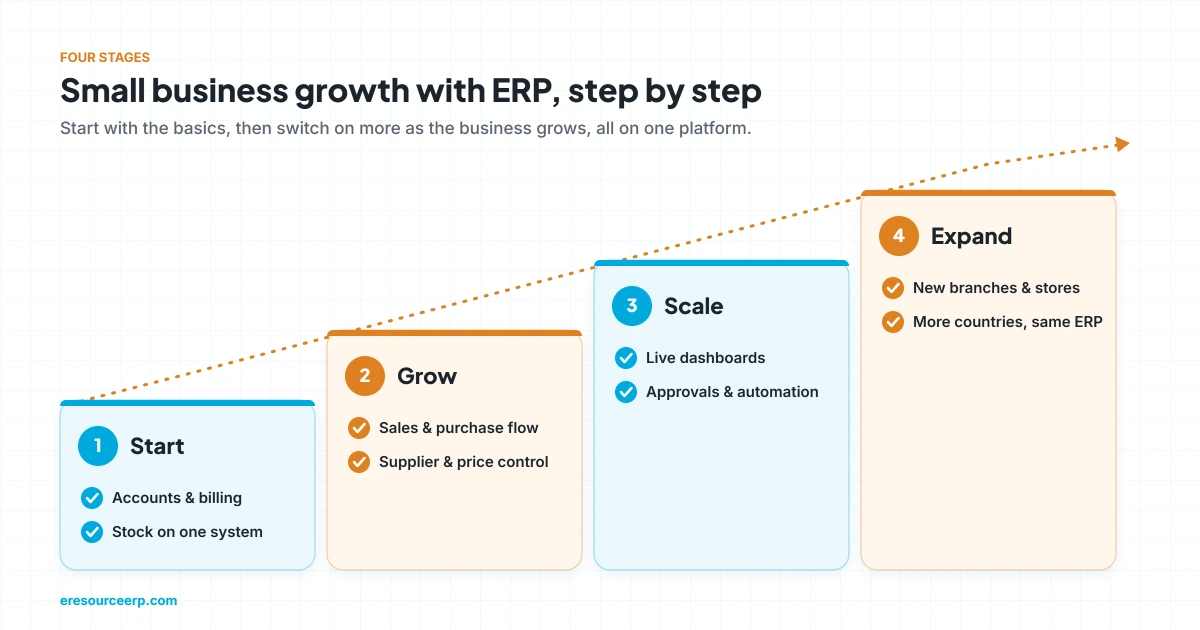
- Start: first, put accounts, stock and billing on one system, so the basics are right.
- Grow: next, add sales and purchase control, so orders and suppliers follow clear steps.
- Scale: then use dashboards, approvals and automation, so managers decide with live data.
- Expand: finally, add branches, warehouses or countries on the same platform.
6 ways ERP drives small business growth
In short, these are the gains that let a small team handle a much bigger business.
1. One source of truth
First, every team reads and writes to the same database. So sales, stores and accounts always see the same order, the same stock and the same balance.
2. Faster quotes and orders
Next, sales can check prices, stock and customer history on one screen. As a result, quotes go out the same day, and approved quotes become orders in one click.
3. Tighter stock control
Also, every receipt, issue and transfer updates stock at once. Reorder levels then warn you before an item runs out, which protects both sales and cash.
4. Clear view of cash
Moreover, receivables and payables update as invoices post. Therefore, you can see who owes what and plan spending before you commit to growth.
5. Built-in compliance
In addition, tax and e-invoicing rules run inside the same system. For instance, eresource supports GST in India and ZATCA e-invoicing in Saudi Arabia.
6. Room to grow
Finally, a good ERP lets you add users, modules and branches without starting again. So the system grows with you instead of holding you back.
How to plan small business growth with ERP
- List your pain points: first, write down where time, stock or cash leaks today.
- Start with core modules: next, go live with accounts, stock, sales and purchase.
- Clean your data: then fix customer, supplier and item records before you move them.
- Train by role: after that, show each person only the screens they use every day.
- Review every quarter: finally, check reports and add the next module when you are ready.
For broader background, see this overview of small business. Also, clean records make every later step easier, so read our guide to master data in ERP.
Mistakes that slow small business growth
- Waiting too long: moving after a crisis is harder than moving while things are calm.
- Buying for today only: a tool that cannot add branches or users will need replacing.
- Paying per user: per-seat fees punish you for hiring, so check the license model.
- Skipping training: people fall back to spreadsheets when they are unsure of the system.
Why eresource for growing businesses
eresource is a web-based, AI-powered and no-code ERP with 37 integrated modules on one platform. It has also served businesses for 20 years, with 3,000+ go-lives.
- Unlimited users: one flat license, so hiring never raises your software bill.
- Start small, add more: begin with core modules, then switch on more as you grow.
- Industry editions: ready processes for manufacturing, construction, trading and logistics.
- No-code changes: adjust screens, fields and workflows without a developer.
- Live dashboards: see sales, stock and cash at a glance, on desktop or mobile.
- Compliance built in: GST, ZATCA and e-invoicing from the same data.
To learn more, read why eresource is a strong ERP for small businesses, how to choose ERP for SMEs, and the main benefits of ERP for SMEs. You can also see how ERP financial reporting supports planning, or explore all eresource ERP products.
Frequently asked questions
How does ERP help small business growth?
Above all, it puts sales, stock, purchase and accounts on one system. As a result, teams work from the same data, and owners can grow without losing control.
When should a small business move to ERP?
Usually, it is time when month-end takes too long, stock rarely matches, or several people edit the same spreadsheets.
Is ERP too expensive for a small company?
Not always. Web-based ERP with a flat license avoids server costs and per-user fees, so small teams can afford it.
Which modules should a growing business start with?
Generally, most start with accounts, stock, sales and purchase. Then they add production, HR or CRM as they grow.
Can an ERP support new branches?
Yes. For example, eresource lets you add branches, warehouses and companies on the same platform.
Does eresource charge per user?
No. eresource uses one flat license with unlimited users, so you can add staff freely.
Want to plan your own small business growth with ERP? Book a free demo, or start with a free ERP assessment.
Also Read – ERP ROI for SMEs: How Small and Mid-Sized Firms Get a Quick Return



