


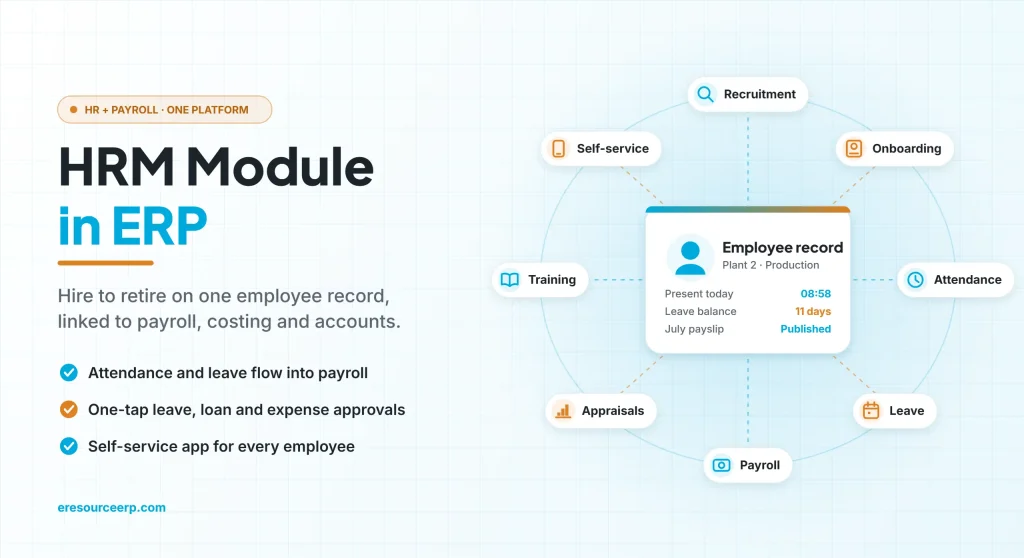
An HRM module in ERP manages every step of the employee journey, from hiring to exit, on the same database that runs projects, production and accounts. Yet HR teams often juggle an attendance app, a payroll sheet and a pile of leave forms. As a result, managers wait for approvals, payroll takes days and HR becomes a helpdesk. So this guide explains what an HRM module in ERP does, its key features and how it helps people work together.
Key takeaways
- One employee record: hiring, attendance, leave, payroll and appraisals share the same data.
- Faster approvals: leave, loans and expenses move through set workflows instead of emails.
- Payroll without re-entry: attendance and leave feed salary, and salary posts to accounts.
- Better teamwork: shared calendars and self-service keep everyone on the same page.
What is an HRM module in ERP?
HRM stands for human resource management. An HRM module in ERP is the part of the system that handles people: hiring, records, time, pay, growth and exit. Because it shares one database with other modules, HR data flows straight into costing, budgets and the books.
In eresource, for example, the HR module keeps a complete employee database. It holds contact details, salary, attendance, performance reviews and promotions. In short, HR manages the full lifecycle in one place.
Standalone HR software vs HRM module in ERP
At first, many companies start with separate HR tools. However, the gaps show up at month end. Overall, the table below compares the two:
| Area | Standalone HR tools | HRM module in ERP |
|---|---|---|
| Employee data | Copied across several apps | One record for every module |
| Attendance to payroll | Exported and imported each month | Flows straight into the salary run |
| Approvals | Emails and paper forms | Set workflows with one-tap approval |
| Labour cost | Worked out later in sheets | Posted to projects and cost centres |
| Payroll to accounts | Journal typed by hand | Posted to the books on lock |
| Employee queries | Calls and visits to HR | Answered in the self-service app |
Hire to retire: how the HRM module in ERP works
For example, here is how one employee moves through the system, from the first request to the final settlement:
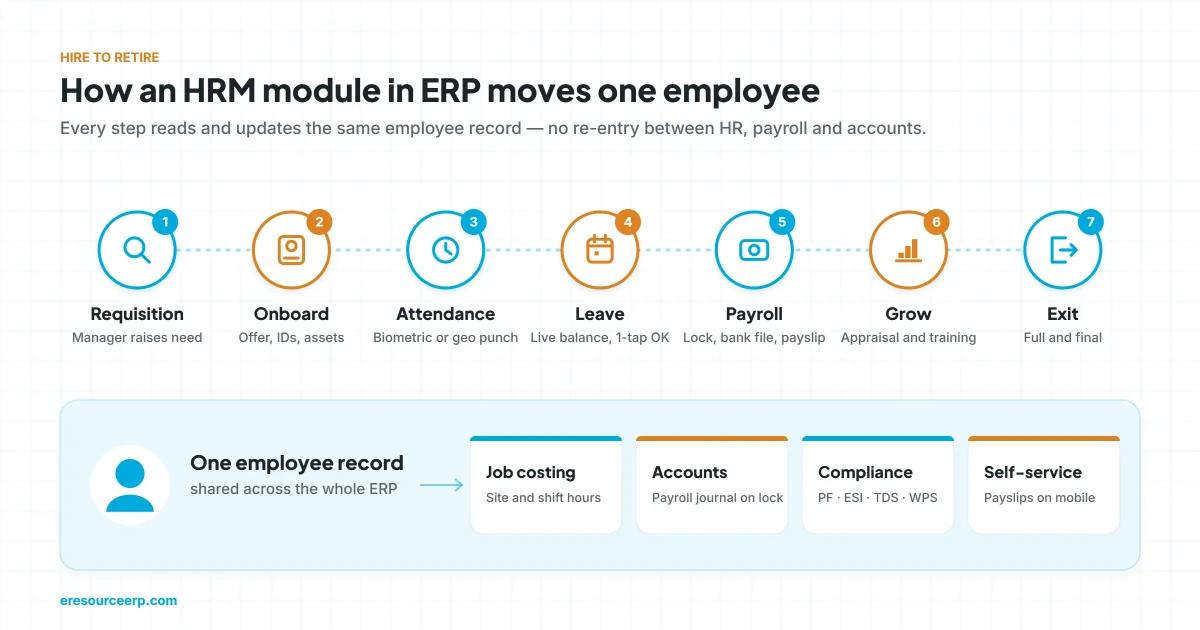
- Request and hire: first, a manager raises a job requisition, and HR schedules interviews.
- Onboard: next, HR issues the offer letter and tracks IDs, assets and induction.
- Track time: then the employee punches in through biometric devices or the mobile app.
- Apply for leave: meanwhile, leave requests go to the manager, who approves in one tap.
- Run payroll: after that, attendance and leave feed the salary run, which HR locks after approval.
- Grow: appraisals and training records then shape promotions and pay changes.
- Exit: finally, the system prepares the full and final settlement from the same record.
Key features of an HRM module in ERP
In short, look for these eight features when you compare systems.
1. Core HR and employee records
First, every employee gets one record with personal details, job, grade, salary and history. So HR never has to rebuild a file from scratch.
2. Recruitment and onboarding
Next, job requisitions, interviews and offer letters follow set approvals. Then onboarding checklists track documents, assets and induction.
3. Attendance and shifts
Also, the module records biometric or geo-verified punches across offices, plants and sites. It also handles shift rotations, night shifts and overtime rules.
4. Leave management
In addition, each leave type follows its own policy. Employees see their live balance, so managers can approve requests quickly.
5. Payroll and statutory compliance
Moreover, payroll uses your salary structures, loans and deductions. For instance, eresource prepares PF, ESI, PT and TDS returns in India. It also creates WPS files and end-of-service gratuity in the UAE.
6. Performance and training
Similarly, appraisals record goals and ratings over time. Training records show who has learned which skills, so promotions rest on facts.
7. Employee self-service app
Likewise, employees can punch in, apply for leave, claim expenses and download payslips on their phones. As a result, HR answers fewer routine questions.
8. Documents and expiry alerts
Finally, the module tracks passports, visas, ID cards and medical renewals. Then alerts reach the right person 90, 60 and 30 days before expiry.
How an HRM module in ERP improves collaboration
Of course, good HR is not just about records. Above all, it should help people work together. So here is how an integrated HR system does that:
- Shared calendars: teams see who is on leave, so they can plan work and cover gaps early.
- Project schedules: managers can also build a schedule for each project or activity and share it with the team.
- Clear approvals: every request shows who must approve next, so nothing gets stuck on a desk.
- One version of the truth: HR, finance and line managers read the same headcount and cost figures, so nobody argues over numbers.
- Self-service: employees find answers on their own, so HR can focus on people instead of paperwork.
To see this idea in more depth, also read how HRM improves employee collaboration.
Benefits of an HRM module in ERP
- Faster payroll: attendance and leave flow in, so the salary run takes hours, not days.
- Fewer errors: data is entered once and shared, which removes copy mistakes.
- Accurate labour cost: site and shift attendance also feed project and production costing.
- Timely compliance: statutory reports come from locked payroll, so deadlines are easier to meet.
- Happier employees: quick approvals and on-demand payslips build trust.
How to set up an HRM module in ERP
- Clean employee data: first, check names, grades, bank details and joining dates.
- Define policies: next, set leave types, shift rules and overtime limits.
- Map approvals: then decide who approves leave, loans, expenses and payroll.
- Run a parallel payroll: after that, compare one month’s salary run with the old method.
- Launch self-service: finally, train staff on the mobile app, and review adoption after a month.
For broader background, see this overview of human resource management. Also, clean employee records start with clean masters, so read our guide to master data in ERP.
Why eresource for HR and payroll
eresource is a web-based, AI-powered and no-code ERP with 37 integrated modules on one platform. It has also served businesses for 20 years, with 3,000+ go-lives.
- Hire to retire: recruitment, attendance, leave, payroll, appraisals and exit on one record.
- No-code setup: HR teams change leave policies, shift rules and approval chains themselves.
- Statutory packs: India PF, ESI, PT and TDS, plus UAE WPS and end-of-service gratuity.
- Linked to the business: attendance feeds job costing, while payroll posts to accounts.
- Azaalea AI: flags attrition risk, overtime spikes and compliance dates early.
- Unlimited employees: one flat fee, so every worker can use self-service.
To learn more, explore the eresource HRMS software and the HRMS and payroll module. You can also read about ERP payroll software, AI in HRMS, and how integrated ERP modules share data. Finally, for a real example, see this HRMS case study from the UAE.
Frequently asked questions
What is an HRM module in ERP?
It is the part of an ERP that manages people, from hiring and attendance to payroll, appraisals and exit, on one shared database.
What is the difference between HRM and HRMS?
HRM is the practice of managing people. In contrast, an HRMS is the software that supports it, such as the HR module inside an ERP.
Which features should an HRM module in ERP have?
At a minimum, it should cover employee records, recruitment, attendance, leave, payroll, appraisals, self-service and statutory reports.
How does an HRM module in ERP help payroll?
First, attendance and leave flow straight into the salary run. Then the locked payroll posts to accounts and creates the bank file.
Can employees use the HR module on mobile?
Yes. For example, eresource employees can punch in, apply for leave and download payslips from the mobile app.
Does eresource charge per employee for HR?
No. eresource uses one flat fee with unlimited employees, so every worker can use self-service.
Want to see the HRM module on your own policies? Book a free demo, or start with a free ERP assessment.
Also Read – Best HRMS Software: Hire to Retire on One Platform



