


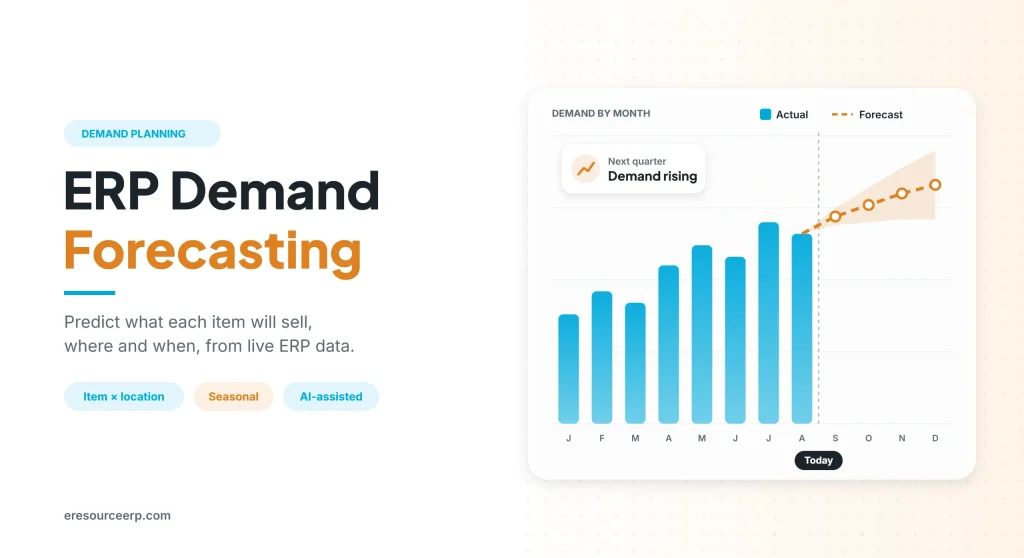
ERP demand forecasting uses the sales, stock and order data already inside your ERP to predict how much of each item customers will buy, where and when. As a result, you can plan purchases, production and stock with confidence instead of guesswork. Today, customers expect fast delivery. So a business without good forecasts often cannot keep its promises. This guide explains how ERP demand forecasting works, which methods it uses and how to make your forecasts more accurate.
Key takeaways
- One source of data: the forecast uses live sales, stock and order history, so nobody copies numbers by hand.
- Item and location level: the system predicts demand for each item at each warehouse or branch.
- People still matter: sales teams adjust the system forecast with market knowledge.
- Plans follow forecasts: purchase, production and stock plans update from one number.
What is ERP demand forecasting?
In simple terms, demand forecasting means estimating future demand from past sales and known events. In an ERP, however, the forecast is not a separate spreadsheet. Instead, it sits on the same database as your sales orders, stock, purchase and production.
Therefore, ERP demand forecasting can spot busy seasons and slow months early. It also passes the result straight to the teams that act on it. For the basics, read how an ERP system works.
Spreadsheets vs ERP forecasting
Many firms still forecast in spreadsheets. However, as the business grows, ERP demand forecasting soon pulls ahead, as the table shows:
| Factor | Spreadsheet forecast | ERP forecast |
|---|---|---|
| Data source | Copied by hand each month | Live sales, stock and orders |
| Detail | Totals for a few products | Every item at every location |
| Updates | Slow and easy to forget | Automatic on a set schedule |
| Teamwork | One file, one owner | Sales, planning and purchase share one view |
| Next step | Teams plan on their own | Purchase and production plans follow |
| Accuracy check | Rarely measured | Forecast vs actual on a dashboard |
In short, ERP demand forecasting turns a monthly chore into a live, shared plan.
How ERP demand forecasting works
Generally, the process follows six clear steps, as the picture below shows:
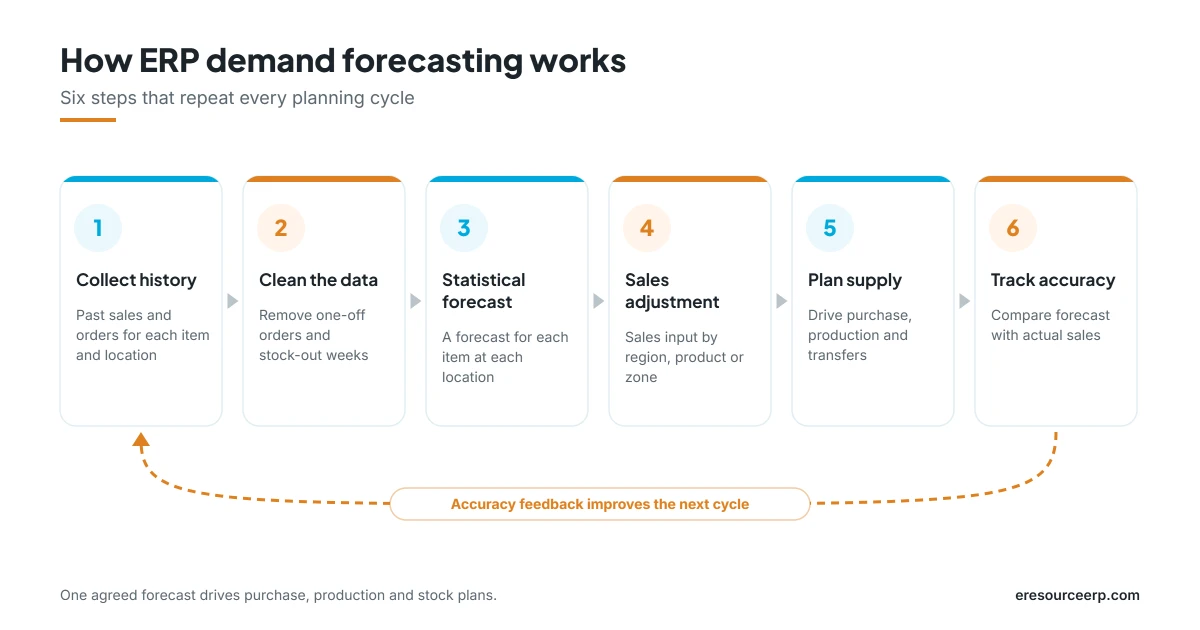
- Collect history: first, the system gathers past sales and orders for each item and location.
- Clean the data: next, it removes one-off orders and stock-out weeks, so they do not skew the trend.
- Create a statistical forecast: then it works out a forecast for each item at each location, based on rules you set.
- Adjust and aggregate: after that, planners adjust the numbers and view them by region, product, class or market zone. Then the system spreads any change back down to each item and location.
- Plan supply: also, the final forecast drives purchase, production and stock transfers.
- Track accuracy: finally, the system compares the forecast with actual sales, so the next cycle improves.
Moreover, this loop links straight into planning. So read more about the ERP MRP and planning and control with ERP.
Forecasting methods in an ERP
Not every item sells the same way. So good ERP demand forecasting offers more than one method:
- Moving average: first, a simple average of recent months, which suits steady items.
- Exponential smoothing: it gives more weight to recent sales, so it reacts faster to change.
- Seasonal models: these repeat yearly peaks and dips, for example festive or monsoon demand.
- AI-based forecasts: also, machine learning finds patterns across many items at once.
- Sales-led input: in addition, sales teams add known deals, launches and promotions.
In practice, most firms combine a statistical base with sales input. To learn more, read about AI-powered ERP for manufacturing.
Benefits of accurate demand forecasting
When ERP demand forecasting works well, the gains reach every team:
- Fewer stock-outs: fast-moving items stay on the shelf, so orders ship on time.
- Less excess stock: also, you stop over-buying slow items, which frees up cash.
- Steady production: in addition, plants plan ahead, so there are fewer rush jobs.
- Better buying: similarly, purchase teams place planned orders at better prices.
- Happier customers: sales can promise accurate dates with confidence.
- Clear vendor plans: suppliers also get early notice of what you will need.
As a result, better forecasts help you reduce manufacturing costs. For related reading, see stock management with ERP and the procurement process in ERP.
Tips to improve forecast accuracy
Even the best tool needs good habits. So follow these tips to get more from ERP demand forecasting:
- Clean your masters: first, fix duplicate items, units and locations.
- Start with key items: next, focus on high-value and fast-moving items before the rest.
- Involve sales early: also, ask for known orders, launches and lost customers.
- Review every month: then compare the forecast with actual sales and adjust the method.
- Plan for events: mark festivals, promotions and price changes in advance.
- Keep one number: finally, let every team plan from the same agreed forecast.
For better results, start with clean master data in ERP and good data visibility.
ERP demand forecasting with eresource
eresource is a web-based, AI-powered and no-code ERP with 37 integrated modules on one platform. It has also served businesses for 20 years, with 3,000+ go-lives. So here is how it supports ERP demand forecasting:
- Item-location forecasts: forecasts for each item at each location, based on your rules.
- Flexible views: roll forecasts up by region, product, class or market zone, then spread changes back down.
- Fast order flow: orders reach every team in seconds, so there is less paperwork and fewer errors.
- Connected planning: forecasts feed MRP, production and purchase on the same platform.
- Integrated sales: sales orders, quotes and discounts flow in from the sales and distribution module.
- Live dashboards: forecast accuracy, stock and orders on web and mobile.
To learn more, read about ERP with business intelligence, explore manufacturing ERP software in India or browse all eresource ERP products.
Frequently asked questions
What does ERP demand forecasting mean?
In short, it means using sales, stock and order data inside the ERP to predict future demand for each item and location.
Which data does the forecast use?
Mainly, it uses past sales and orders. In addition, it can include seasons, promotions and input from the sales team.
How often should we update the forecast?
Most firms update it every month. However, fast-moving or seasonal items may need a weekly review.
How do we measure forecast accuracy?
First, compare the forecast with actual sales for each period. Then track the average error over time, so you can see if it improves.
Can small businesses use this?
Yes. In fact, a cloud ERP gives small firms the same forecasting tools as large ones, without extra software.
Does eresource support item-location forecasts?
Yes. For example, it creates a forecast for each item at each location, which planners can adjust and roll up by region or product.
Want to see ERP demand forecasting with your own data? Start with a free ERP assessment, or book a free demo.
Also Read – ERP with Business Intelligence



