


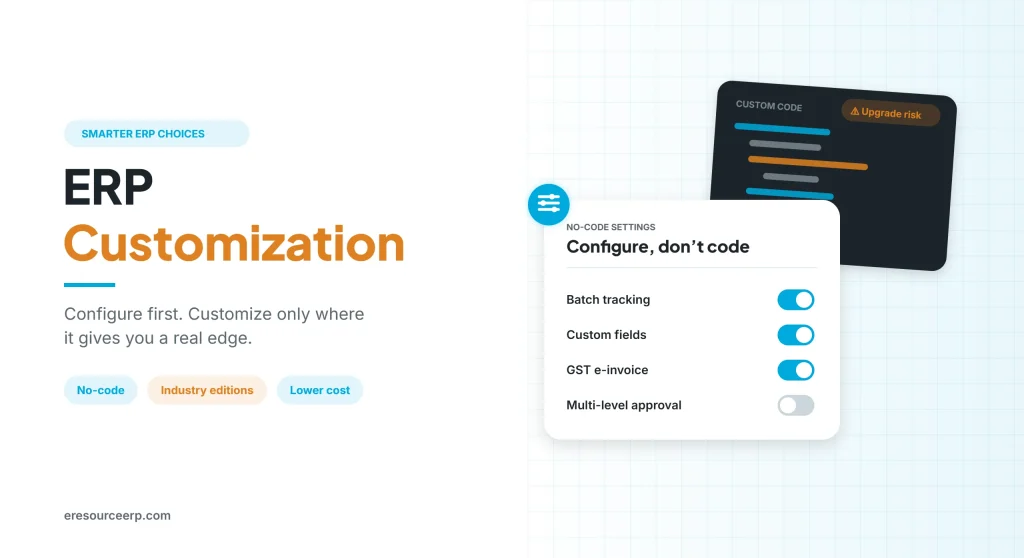
ERP customization means changing an ERP system’s code, screens or workflows so that it fits the way a business works. It sounds simple. However, many small and mid-sized firms learn the hard way that heavy customization of a standard ERP brings high costs, long delays and painful upgrades. So this guide explains the difference between customization and configuration, when ERP customization makes sense, its hidden costs and how to keep it to a minimum.
Key takeaways
- Configure first: most needs can be met with settings and no-code tools.
- Pick the right edition: also, an industry edition removes much of the need for custom code.
- Count the full cost: include testing, upgrades and maintenance, not just development.
- Customize only for an edge: finally, change the core only where it gives you a real advantage.
Customization vs configuration vs industry editions
People often use these words as if they mean the same thing. In practice, however, they differ a lot in cost and risk. The table below compares the main options:
| Approach | What changes | Cost and risk | Upgrades |
|---|---|---|---|
| Configuration | Settings, fields, forms and workflows | Low | Smooth |
| Industry edition | Ready processes for your sector | Low to medium | Handled by the vendor |
| Customization | New code or changes to the core | High | Can break with each release |
| Custom software | Everything built from scratch | Highest | Fully on you |
In short, configuration adjusts the system, while ERP customization changes it. For a deeper look, read about ERP vs custom software and no-code ERP.
Why heavy ERP customization often fails
Large ERP products are built for big companies. As a result, small firms often find them too costly and too complex. Moreover, these systems usually need heavy ERP customization before they fit an SME’s way of working. Here is where it tends to go wrong:
- High cost: first, licence, consultants and development add up quickly.
- Poor results: also, custom changes often still miss the real need.
- Long delays: every change needs design, coding and testing.
- Upgrade lock: in addition, custom code may break when the vendor releases a new version.
- Ongoing charges: annual maintenance and support fees keep rising.
- Vendor dependence: finally, only the original developers may understand the changes.
For more on this, see why you should not customize your ERP frequently. Also, the general idea of enterprise resource planning explains why a common core matters.
When ERP customization makes sense
Still, some changes are worth it. ERP customization is usually justified when:
- It protects an edge: the process is what sets you apart from competitors.
- The law requires it: a local rule or report is not covered by standard features.
- Special equipment needs a link: for example, a machine or device needs a custom connection.
- Configuration falls short: you have already tried settings, workflows and the right edition.
Otherwise, it is usually better to adjust the process to a proven standard.
How to plan ERP customization
Generally, a careful plan keeps ERP customization small and safe, as the picture below shows:
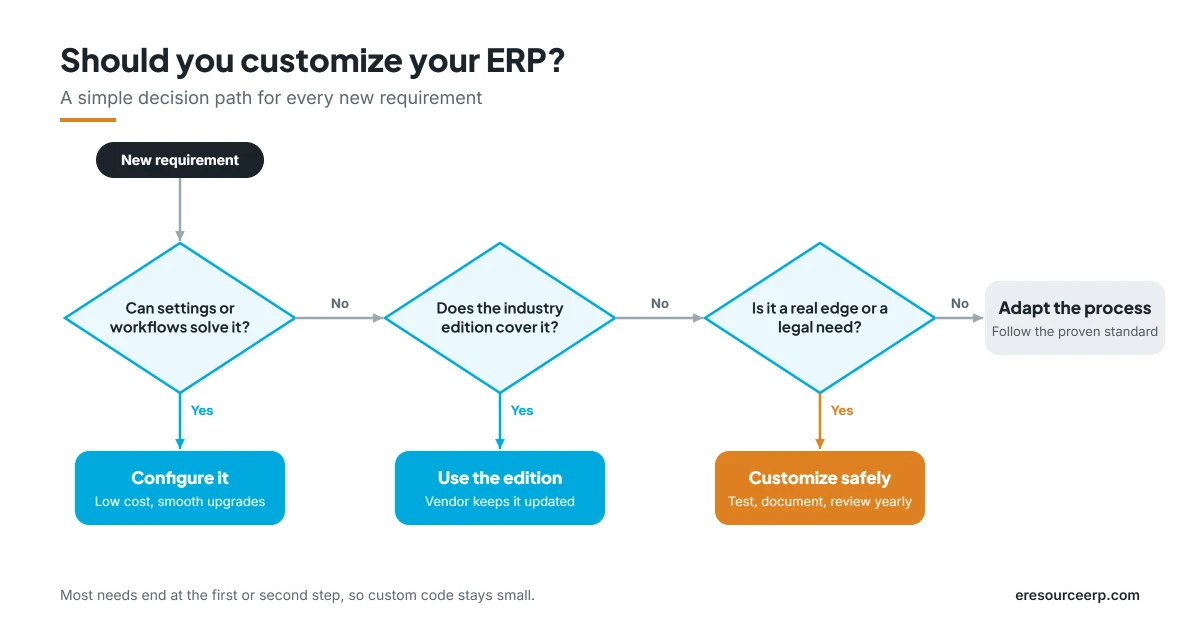
- Map the gaps: first, compare your processes with the standard system in a fit-gap study.
- Try configuration: next, solve each gap with settings, fields or workflows where possible.
- Check the edition: then see whether an industry edition already covers the need.
- Weigh cost and risk: after that, estimate build, test and upgrade effort for what is left.
- Build and test safely: also, develop in a test system, never directly in live.
- Document and review: finally, record every change and review it once a year.
For more, read about an ERP fit-gap analysis and how to make ERP software implementation successful.
Hidden costs to plan for
The quote for development is only the start. In fact, the true cost of ERP customization also includes:
- Testing: each change must be tested with real data and edge cases.
- Retesting at upgrades: similarly, custom code needs checks after every new release.
- Maintenance fees: custom work often raises yearly support charges.
- Training updates: manuals and training must change along with the system.
- Delays: above all, a late go-live pushes back every benefit you expected.
Therefore, always ask for the cost over three to five years, not just the build price.
How eresource reduces ERP customization
eresource is a web-based, AI-powered and no-code ERP with 37 integrated modules on one platform. It has also served businesses for 20 years, with 3,000+ go-lives. Its guiding idea is simple: give customers what they want, rather than what the vendor happens to have.
At first, eresource offered one common ERP for every segment. However, fitting the needs of thousands of customers into a single package proved complex. So the team built separate editions for different industries, which cut the need for ERP customization. Here is what that means for customers:
- Industry editions: for example, eresource Xcel for discrete manufacturing, Bpro for process manufacturing and Nfra for construction.
- No-code changes: adjust fields, screens and workflows without a programmer.
- Personal views: also, each user can work with the screens and reports they need.
- Built for SMEs: features and costs suit small and mid-sized Indian firms.
- Simpler rollout: in addition, a streamlined implementation supports early return on investment.
- Web-based access: finally, teams work from any browser, anywhere.
To learn more, read about industry-specific ERP, a personalized ERP for each user, or browse all eresource ERP products.
Frequently asked questions
What is ERP customization?
In short, it is changing an ERP’s code, screens or workflows so that the system fits a company’s specific way of working.
What is the difference between customization and configuration?
Configuration uses built-in settings and tools. Customization, on the other hand, adds new code or changes the core system.
How much does ERP customization cost?
It depends on the scope. Besides development, include testing, upgrades and yearly support when you compare quotes.
Does customization affect upgrades?
Often, yes. Changes to the core may need fixing or retesting each time the vendor releases a new version.
Can small businesses avoid heavy customization?
Yes. For example, an industry edition with no-code tools usually covers most needs without custom code.
Does eresource need heavy customization?
Usually not. Its industry editions and no-code tools cover most needs, so changes stay small and quick.
Want to see how little customization your business may need? Start with a free ERP assessment, or book a free demo.
Also Read – Industry-Specific ERP System



