


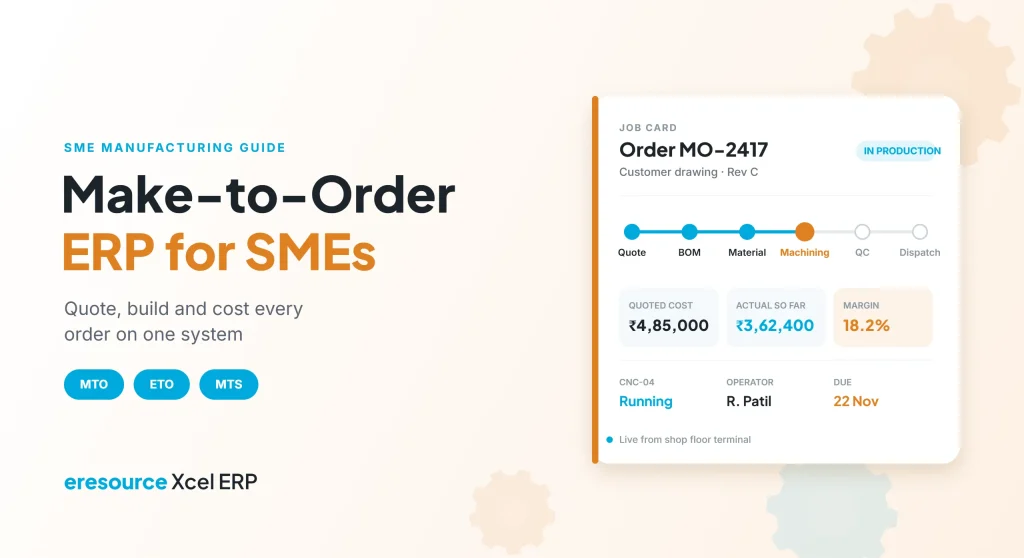
A make-to-order ERP for SMEs lets a small manufacturer quote, plan, build and cost every order on its own, without the price tag of a big-company system. For example, many small and mid-sized factories build to customer drawings, not to a fixed catalogue. So each order has its own bill of materials, purchase list, routing and margin. However, spreadsheets and basic accounting tools cannot track that level of detail for long. This guide explains what make-to-order manufacturers need from an ERP, which features matter most, and why eresource is an ideal fit.
Key takeaways
- Every order is a mini project: it needs its own BOM, materials, work orders and costing.
- Quote with confidence: accurate costing at the quote stage protects your margin.
- Track the shop floor live: job cards and machine updates show where each order stands.
- Know the profit per order: actual cost versus quote tells you which jobs really pay.
What is a make-to-order ERP for SMEs?
In make-to-order (MTO) manufacturing, you start production only after a customer confirms an order. A make-to-order ERP for SMEs ties that order to everything that follows: design, materials, production, quality, dispatch and billing.
In contrast, a make-to-stock (MTS) factory builds standard products ahead of demand and sells from stock. Meanwhile, engineer-to-order (ETO) firms design a product from scratch for each customer. Many SMEs actually run a mix of all three, so their ERP has to handle each model on the same platform.
MTO, MTS and ETO: what each needs from your ERP
The table below shows how the three models differ, and what that means for an ERP:
| Model | How it works | What the ERP must do |
|---|---|---|
| Make-to-stock (MTS) | Build standard items ahead of demand | Forecast, plan stock levels and reorder materials |
| Make-to-order (MTO) | Build a known product after an order arrives | Link each order to its BOM, materials and work orders |
| Engineer-to-order (ETO) | Design and build a one-off product | Handle drawings, revisions and project-style costing |
So a make-to-order ERP for SMEs must support all three models on one platform.
Why basic tools fail make-to-order SMEs
Most small factories begin with accounting software and a few spreadsheets. However, problems appear as orders grow:
- Quotes rely on rough estimates, so some orders lose money without anyone noticing.
- Material shortages show up only when the job reaches the machine.
- Nobody knows exactly which stage an order has reached on the shop floor.
- Drawing changes do not reach purchase and production in time.
- Actual cost per order stays unknown until long after delivery.
As a result, delivery dates slip and margins shrink. A make-to-order ERP for SMEs closes these gaps by keeping every order’s data in one place.
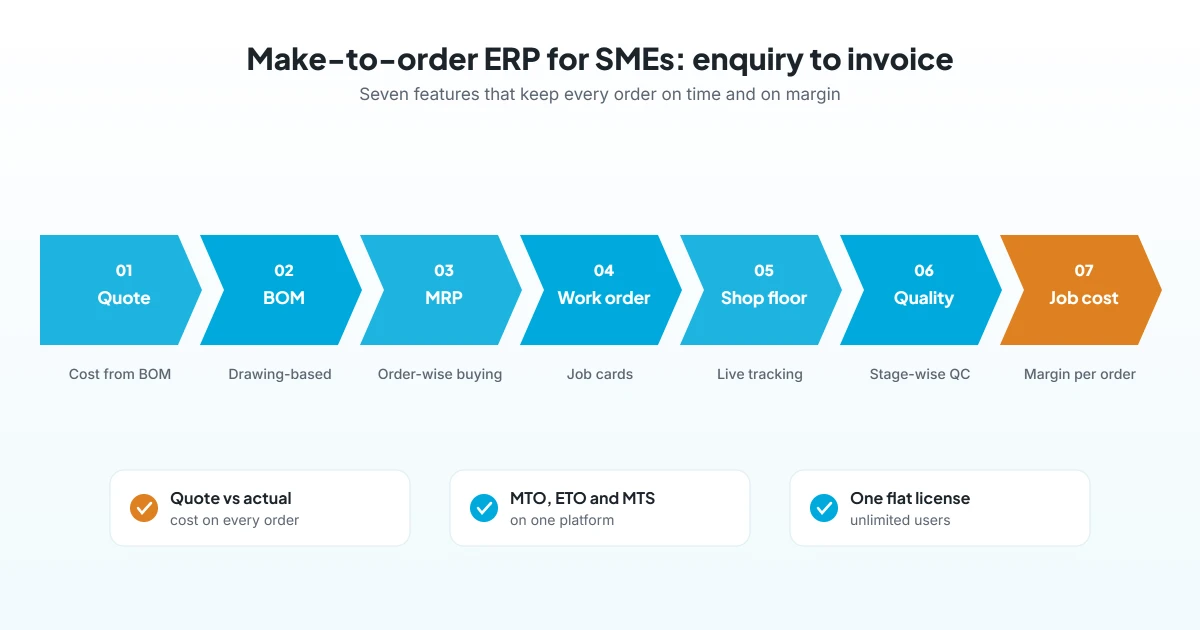
7 features to look for in a make-to-order ERP for SMEs
Use these seven features as your checklist. Together, they cover the full journey from enquiry to invoice.
1. Quote-to-order with costing
First, your team should build a quote from the BOM, routing and current material prices. Then, when the customer confirms, the quote should turn into a sales order without re-entry.
2. Drawing-based, multi-level BOM
Also, each order may need its own BOM. So the system should support multi-level BOMs with revisions, and it should link drawings to the right version.
3. Order-wise MRP and purchasing
Next, the ERP should calculate what each order needs, check stock and raise purchase suggestions. As a result, buyers order the right materials on time, rather than in a last-minute rush.
4. Work orders and job cards
Then production plans should turn into work orders with machines, people and time allocated. In addition, job cards should show progress, completion percentage and any hold reason.
5. Shop floor tracking
Meanwhile, operators can log tasks, machine stoppages and output from terminals or tablets. Therefore, supervisors see live status instead of walking the floor to find out.
6. Stage-wise quality checks
Your team should check quality at inward, in-process and final stages. Also, record rejections and their reasons, so repeat problems are easy to spot.
7. Job costing and margin per order
Finally, the ERP should compare actual material, labour and machine cost with the quote. This is where a make-to-order ERP for SMEs pays for itself, because it shows which customers and products really make money.
Which SME manufacturers need a make-to-order ERP
In short, any factory that builds to customer orders or drawings can benefit. Common examples include:
- Engineering goods makers and job shops
- Machinery and capital equipment manufacturers, including CNC machining and assembly
- Automotive component suppliers working to customer schedules
- Electronics and electrical manufacturers, such as PCB assembly units
- Metal fabrication and sheet metal workshops
Many of these SMEs also run some make-to-stock lines. So one ERP that handles both models saves them from running two systems.
Why eresource Xcel is an ideal make-to-order ERP for SMEs
eresource Xcel is a discrete manufacturing ERP that has gone live in 400+ factories across 20+ manufacturing types. For engineering goods, it covers made-to-order work, job shops, product costing and drawing-based BOMs out of the box.
- Multi-level BOM: versions, revisions and costing linked to production.
- Work orders and job cards: machines, manpower and time allocated, with live progress.
- Shop floor management: operator tracking, machine logs, kanban boards and digital work instructions.
- Quality control: inward, in-process and final QC with rejection tracking.
- Multi-site and multi-currency: ready for SMEs that add plants or export.
- Unlimited users: one flat license covers every operator, supervisor and store keeper.
- No-code setup: go-live can be up to 3X faster than traditional ERP.
Xcel also runs finance, purchase, sales and HR on the same platform, so the whole factory shares one set of numbers. To learn more, read about manufacturing ERP software for SMEs and how to choose a right-sized ERP for SMEs.
How to get started
- Map one typical order: first, follow a recent job from enquiry to invoice and note every hand-off.
- Clean your BOMs and items: next, fix duplicate item codes and outdated drawings.
- See a demo on your own order: then ask the vendor to run that same job in the system.
- Go live in phases: after that, start with sales, BOM and purchase, and then add the shop floor.
- Review margins monthly: finally, compare quoted and actual cost for every order.
Overall, with a make-to-order ERP for SMEs like Xcel, most companies can follow this path in about three months. See our plan to implement ERP in 90 days.
Frequently asked questions
What is a make-to-order ERP for SMEs?
It is an ERP that links each customer order to its own BOM, materials, work orders and costing. It suits small and mid-sized manufacturers that build only after an order is confirmed.
What is the difference between MTO and MTS?
Make-to-stock builds standard items ahead of demand. In contrast, make-to-order starts production only after a customer places an order.
Can one ERP handle MTO, MTS and ETO together?
Yes. eresource Xcel supports order-wise BOMs and work orders as well as stock-based planning, so mixed-model factories can run on one system.
How does a make-to-order ERP protect margins?
First, it builds quotes from real BOM and material costs, and then it compares actual cost with the quote for every order. As a result, loss-making jobs become visible early.
Is eresource affordable for small manufacturers?
Yes. One flat license covers unlimited users, so small factories can give every operator access without extra license costs.
How long does implementation take?
Generally, it depends on scope. However, eresource’s no-code framework enables go-live up to 3X faster than traditional ERP.
Want to see one of your own orders on Xcel? Book a free demo, or start with a free ERP assessment.
Also Read – ERP for Small Manufacturers: Big Advantages for Small Companies



