


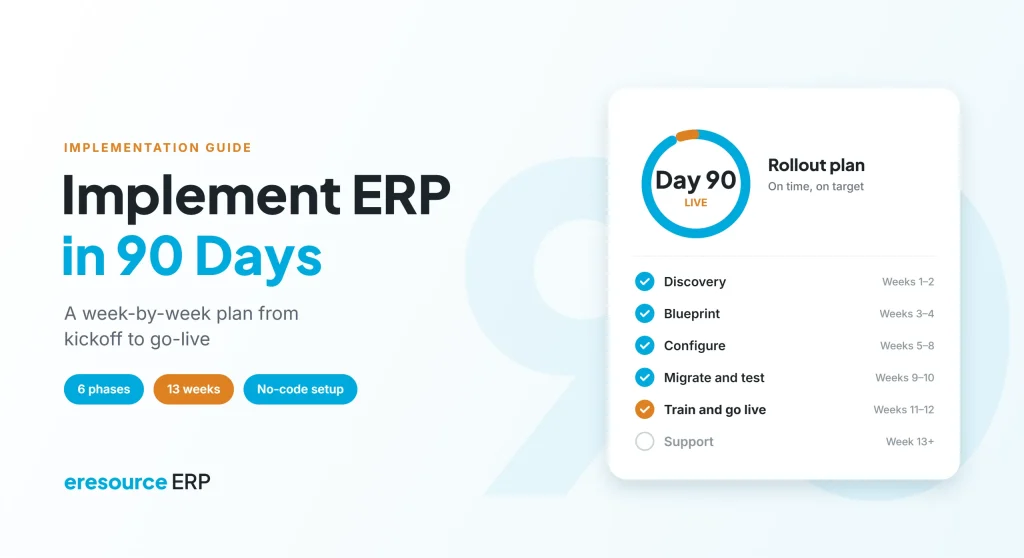
Yes, you can implement ERP in 90 days, as long as the scope is clear, the data is clean and the system already fits your industry. Many ERP projects drag on for a year because teams try to change everything at once. A small or mid-sized business, however, can go live in about three months with the right plan. This guide gives you a week-by-week plan, the roles you need and the traps that slow projects down.
Key takeaways
- Scope decides speed: start with the core modules, and add the rest after go-live.
- Six clear phases: discovery, blueprint, configure, migrate, go-live and support.
- People matter most: a decision maker, a project manager and trained key users keep the plan on track.
- Less custom code: no-code setup and industry-ready processes save weeks.
Is it realistic to implement ERP in 90 days?
For most small and mid-sized businesses, yes. With one company or a few branches, you can usually implement ERP in 90 days. Therefore, the key is to use a system that already includes your industry’s processes, so you configure rather than build.
On the other hand, some projects need more time. For example, a large group with many countries, heavy custom development or several old systems to retire will take longer. Even then, you can still launch the first entity in about 90 days and then roll out the rest in waves.
In fact, eresource follows this approach. Under its on-time implementation program, most of its SME projects go live within about 90 days. Its construction edition, Nfra, typically goes live in 8 to 12 weeks.
What makes a fast ERP implementation possible
Research on ERP success points to the same factors again and again. A well-known study of critical success factors lists teamwork, top management support, change management, clear project management and minimal customisation among them. These factors decide whether you implement ERP in 90 days or in nine months. In practice, four things make the biggest difference:
- A clear owner: one senior sponsor makes decisions quickly, so issues do not wait for weeks.
- Fixed scope: the team agrees on what goes live first and parks the rest for phase two.
- Configuration, not code: no-code setup lets you change forms and approvals in hours.
- Trained key users: each department has a champion who tests, trains and supports others.
The plan to implement ERP in 90 days, week by week
The table below shows a typical schedule. Your timeline may shift a little, but the order of the phases stays the same.
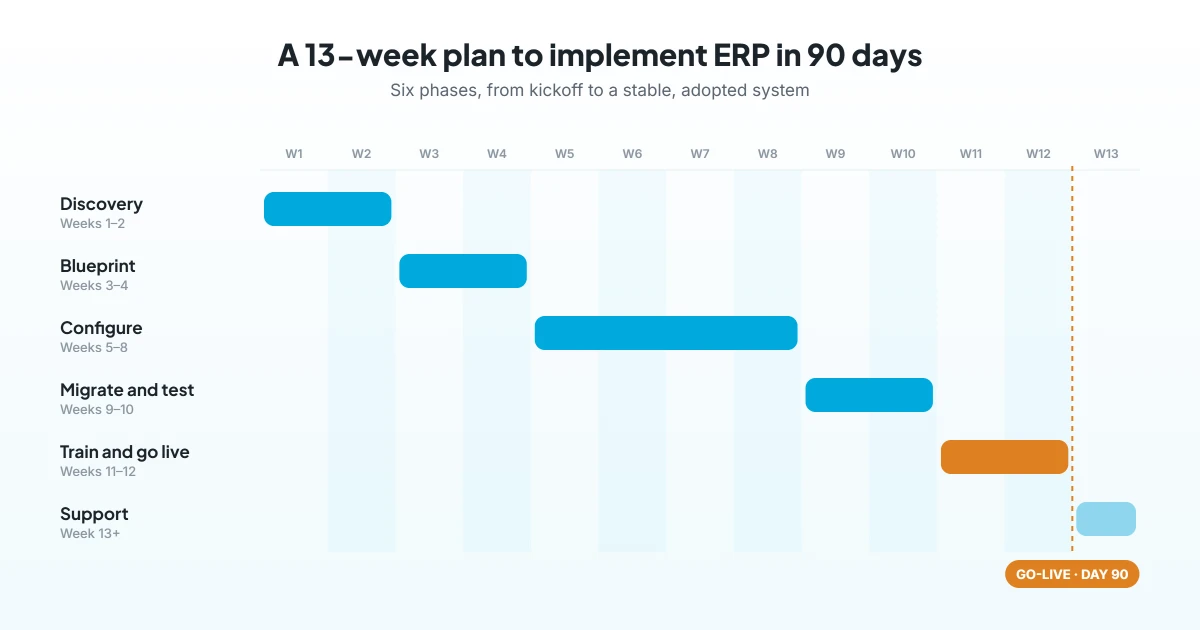
| Weeks | Phase | Key work | Output |
|---|---|---|---|
| 1–2 | Discovery | Map current processes, pain points and reports | Signed-off requirements |
| 3–4 | Blueprint | Design the future process on the industry edition | Solution blueprint |
| 5–8 | Configure | Set up modules, forms, approvals and reports | Configured system |
| 9–10 | Migrate and test | Load master data and run end-to-end tests | Tested system with clean data |
| 11–12 | Train and go live | Train users, cut over and launch | Live system |
| 13 onwards | Support | Fix early issues and review adoption | Stable, adopted system |
Use this table as your checklist to implement ERP in 90 days, and review it with the project team every week.
Weeks 1–2: Discovery
First, map how orders, stock, production, billing and payroll work today. Also, list the reports owners and managers need. Finally, agree on what must go live on day one.
Weeks 3–4: Blueprint
Next, design the future process on the ERP. Use the industry edition as the starting point, and then change only what your business really needs. As a result, the team avoids long debates later, which is vital if you want to implement ERP in 90 days.
Weeks 5–8: Configure
Then set up masters, forms, approvals, numbering and reports. So with a no-code ERP, your key users can see changes the same day. Meanwhile, run short weekly demos, so departments confirm each step. Configuration takes the most time, so guard these four weeks if you plan to implement ERP in 90 days.
Weeks 9–10: Migrate and test
After that, clean and load item codes, customers, vendors, open orders and opening balances. Then test full flows, such as order to invoice and purchase to payment, with real examples. Thorough testing here is what lets you implement ERP in 90 days without surprises at launch.
Weeks 11–12: Train and go live
First, train each role on its daily tasks, not on every screen. Next, pick a cut-over date, often a month start, and freeze the old system. Then go live with the vendor team on hand.
Week 13 onwards: Support
The first weeks after go-live bring the most questions. So keep key users and consultants close, fix issues fast and track how many users log in every day. Later, add the next modules or branches.
Who owns what when you implement ERP in 90 days
Above all, clear roles keep a short project on time. At a minimum, you need these people:
- Sponsor: a senior leader who approves scope and settles disputes quickly.
- Project manager: runs the weekly plan, tracks risks and reports progress.
- Key users: one champion per department to test, train and support colleagues.
- Vendor consultants: configure the system, guide decisions and train the team.
- System administrator: manages users, roles and security after go-live.
Training also runs through every phase when you implement ERP in 90 days. Read why ERP training is essential for a smooth launch.
7 things that slow down an ERP project
Even a good plan can slip. So watch for these seven risks if you want to implement ERP in 90 days:
- Scope creep: new requests keep arriving, so set a phase-two list from day one.
- Dirty data: duplicate items and old balances delay migration, so start cleaning early.
- Too much custom code: every change adds testing time, so prefer configuration.
- No decision maker: issues wait for approval, so name one sponsor.
- Busy users: key users have no time to test, so free part of their week.
- Late testing: problems appear at go-live, so test full flows in weeks 9 and 10.
- Big-bang rollouts: launching every site at once multiplies risk, so go live in waves.
For more on avoiding these traps, see how to make ERP implementation successful.
How eresource helps you implement ERP in 90 days
eresource has completed 3,000+ implementations over 20+ years. Its method follows the same six steps shown above: discovery, blueprint, configure, migrate, go-live and support. In addition, its functional champions work alongside your team at every step, so the rollout stays on plan.
- Industry editions: Xcel, BPro, Nfra and eTrade come with processes already built in.
- No-code setup: modules and forms are configured without code, so go-live can be up to 3X faster than traditional ERP.
- Web-based: there are no local servers to install, so teams can start testing early.
- Unlimited users: one flat license means you can train every user without extra cost.
To learn more, read why eresource is an easy to implement ERP, and how SMEs can choose a right-sized ERP.
Frequently asked questions
Can you really implement ERP in 90 days?
Yes, for most small and mid-sized businesses. A clear scope, clean data, an industry-ready system and trained key users make it possible to implement ERP in 90 days.
What are the phases to implement ERP in 90 days?
Typically, there are six phases: discovery, blueprint, configure, migrate and test, train and go live, and support after launch.
Which businesses can go live with ERP in 90 days?
Generally, single-company SMEs and mid-sized firms with a few branches can. Larger groups often launch the first entity in about 90 days and add others in waves.
What delays an ERP implementation most?
Overall, scope creep, dirty data, heavy customisation and busy key users cause most delays. A firm scope and early data cleaning prevent them.
How fast does eresource go live?
eresource’s no-code framework enables go-live up to 3X faster than traditional ERP. Also, construction projects on Nfra typically go live in 8 to 12 weeks.
What happens after go-live?
Then the support phase begins. The team fixes early issues, tracks adoption and adds the next modules or branches.
Want to implement ERP in 90 days in your business? Book a free demo, and a consultant will map your rollout on eresource. You can also start with a free ERP assessment.
Also Read – ERP Implementation Timeline: How eresource Delivers Quality ERP on Time



