Table of Contents
Introduction
In today’s fast-moving business environment, companies need more than just separate tools for accounting, inventory, and operations. They need a unified system that connects everything in real time.
This is where Enterprise Resource Planning (ERP) comes in.
ERP software helps businesses streamline processes, improve decision-making, and scale efficiently by integrating all core functions into one centralized system.
What is ERP?
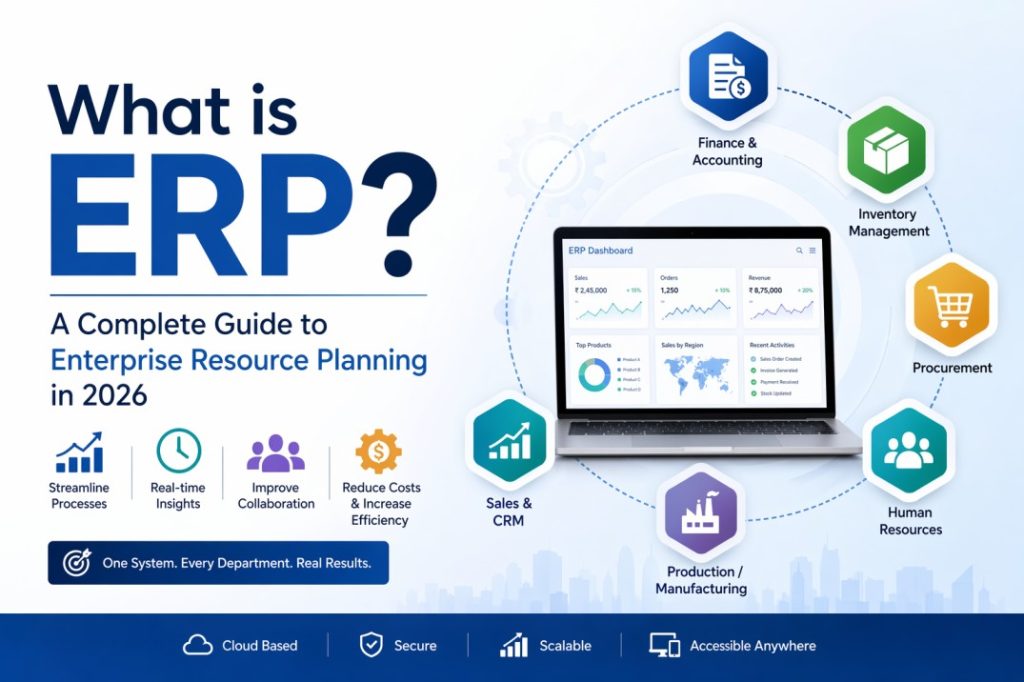
Enterprise Resource Planning (ERP) is a business management software that integrates key processes such as finance, inventory, human resources, procurement, and sales into a single system.
Instead of using multiple disconnected tools, ERP uses a centralized database that allows all departments to access and share information in real time.
👉 Simple example:
When a sales order is created, ERP automatically updates inventory, triggers billing, and records financial data. No manual coordination needed.
Why is ERP Important for Businesses?
Modern businesses deal with complex operations, growing data, and increasing competition. Without a unified system, this leads to inefficiencies.
ERP solves this by:
- Eliminating data silos
- Automating repetitive processes
- Providing real-time insights
- Improving collaboration across departments
👉 Result: Faster decisions, lower costs, and better productivity
Also Read: Best ERP Software in India
How Does ERP Work?
ERP operates on three core principles:
1. Centralized Database
All business data is stored in one system. This ensures accuracy and consistency across departments.
2. Integrated Modules
Each department (finance, HR, inventory, etc.) works within the same system but shares data seamlessly.
3. Automated Workflows
ERP automates processes such as order processing, invoicing, payroll, and reporting. Businesses can also create a QR code for products, invoices, or equipment to link physical items directly to digital records stored within the ERP system.
👉 Example workflow:
Sales Order → Inventory Update → Invoice Generation → Financial Entry
Everything happens automatically within one system.
Key ERP Modules
A typical ERP system includes the following modules:
- Finance & Accounting – Manage transactions, reporting, GST, and compliance
- Inventory Management – Track stock levels, warehouses, and movement
- Procurement – Handle purchase orders and vendor management
- Sales & CRM – Manage leads, orders, and customer relationships
- Human Resources (HR) – Payroll, attendance, and employee records
- Production / Manufacturing – Plan and control production processes
Key Features of ERP Software
ERP systems offer powerful features that improve efficiency and control:
- Real-time data visibility
- Automated reporting and analytics
- Workflow automation
- Multi-location and multi-branch management
- Cloud access and scalability
- Compliance and audit tracking
👉 These features help businesses operate smarter, not harder.
Benefits of ERP Implementation
Implementing ERP delivers measurable business benefits:
- Improved Efficiency: Automation reduces manual work and errors
- Better Decision-Making: Real-time data enables smarter, faster decisions
- Cost Reduction: Optimized processes lower operational costs
- Scalability: Easily grow your business without system limitations
- Enhanced Collaboration: All departments work on a single platform
ERP Use Cases by Industry (Your Competitive Advantage)
1. Manufacturing
- Production planning
- Bill of materials (BOM)
- Quality control
2. Construction
- Project management
- Cost tracking
- Resource planning
3. Pharma & Chemicals
- Batch tracking
- Compliance (FDA/GMP)
- Formula management
4. Food Industry
- Traceability
- Expiry management
- Quality checks
👉 Industry-specific ERP is where businesses gain real competitive advantage.
Also Read: ERP Software for Food Industry
Signs Your Business Needs an ERP System
You should consider ERP if:
- You are using multiple disconnected software tools
- Data is inconsistent or duplicated
- Manual processes are slowing operations
- Reporting takes too long
- Your business is scaling but systems are not
👉 If you relate to 2–3 of these, it’s time to adopt ERP.
Cloud ERP vs Traditional ERP
Feature | Cloud ERP | On-Premise ERP |
Deployment | Online | Installed locally |
Cost | Subscription-based | High upfront cost |
Accessibility | Anywhere | Limited |
Maintenance | Managed by provider | Managed internally |
👉 Cloud ERP is becoming the preferred choice in 2026 due to flexibility and scalability.
Why Choose eResource ERP?
While many ERP solutions exist, businesses need a system that is flexible, industry-focused, and easy to use.
eResource ERP offers:
- Industry-specific ERP solutions
- Customizable modules
- User-friendly interface
- Scalable cloud-based system
- Strong implementation support
👉 Whether you are in manufacturing, construction, or distribution, eResource ERP helps streamline operations and drive growth.
Frequently Asked Questions(FAQs)
ERP is software that helps businesses manage all operations like finance, inventory, HR, and sales in one system.
ERP improves efficiency, reduces manual work, provides real-time insights, and helps businesses scale easily.
ERP is ideal for small, medium, and large businesses that want to streamline operations and improve decision-making.
Common ERP modules include finance, inventory, procurement, sales, HR, and manufacturing.
Cloud ERP is hosted online and accessible anywhere, while traditional ERP is installed on local systems and requires maintenance.
Conclusion
ERP is no longer a luxury. It is a necessity for businesses that want to stay competitive in 2026 and beyond.
By integrating all processes into a single system, ERP enables greater efficiency, visibility, and smarter decision-making.
👉 The key is choosing the right ERP solution that fits your business needs.