ERP Security: Best Practices to Protect Your ERP System
ERP security plays an important role in modern business operations.
ERP systems manage financial, customer, employee, inventory, and operational data.
Therefore, businesses need strong security controls to protect this information.
A secure ERP system can also reduce the risk of unauthorized access.
Organizations face different cybersecurity risks every day.
These risks can include malware, ransomware, unauthorized access, and data theft.
For this reason, businesses should make ERP security a key priority.
They should also review security practices regularly.
Why Is ERP Security Important?
An Enterprise Resource Planning system connects many business functions.
It also stores important information in a centralized environment.
A security problem can affect several departments at the same time.
Therefore, businesses need proper controls to protect ERP data and applications.
Strong ERP security helps organizations control access to sensitive information.
It can also help businesses monitor suspicious activity.
How to Improve ERP Security
Businesses can follow several practices to strengthen ERP security.
These practices should cover users, applications, networks, and data.
1. Create ERP Security Awareness
Employees play an important role in ERP security.
Therefore, businesses should educate employees about security risks.
A lack of awareness can increase the risk of security incidents.
Employees should understand how to protect ERP credentials and business information.
They should also learn how to identify suspicious emails and login requests.
Businesses can provide regular security training for ERP users.
This training can help employees follow safer working practices.
2. Build Strong Security Controls
Businesses should create a secure environment for their ERP system.
ERP security should not depend only on the software vendor.
Organizations must also protect the environment where the ERP system operates.
For example, businesses can use firewalls and other security controls.
These controls can help protect the network from unauthorized activity.
Companies should also review their security settings regularly.
This approach helps identify potential weaknesses before they create problems.
3. Choose a Secure ERP Structure
A secure ERP system should support the needs of the organization.
It should also provide appropriate controls for business data and users.
At a minimum, an ERP system should provide the following characteristics:
Modular structure: Different business functions should work through suitable modules.
Integrated processes: ERP modules should share data through controlled information flows.
Scalability: The system should support business growth and changing requirements.
Configurability: Businesses should be able to configure the system according to their needs.
Security controls: The ERP system should protect business data and system resources.
These features can help businesses build a more secure ERP environment.
4. Protect the ERP Network
Network security forms an important part of ERP security.
Businesses should protect the network that connects users with the ERP system.
They should also secure external connections and system interfaces.
Firewalls can help control network traffic.
Organizations can also use additional network security tools based on their requirements.
Regular security reviews can help identify unusual network activity.
They can also help businesses respond to potential threats.
5. Use Strong User Authentication
User authentication helps control access to ERP resources.
Every ERP user should have an individual account.
Users should also follow strong password practices.
Businesses should avoid sharing login credentials between employees.
They should remove access when employees leave the organization.
Organizations can also consider additional authentication methods.
These methods can provide another layer of protection for sensitive ERP resources.
6. Control User Access
Not every employee needs access to every ERP function.
Businesses should provide access based on job responsibilities.
This approach helps reduce unnecessary access to sensitive information.
For example, finance employees may need access to financial modules.
Production users may need access to production-related information.
Managers should review user permissions regularly.
They should also remove unnecessary access when employee responsibilities change.
7. Maintain Security Policies
A clear ERP security policy can guide users and administrators.
The policy should define rules for data access and user permissions.
It should also explain how employees should handle sensitive information.
Administrators should follow these rules when creating user accounts.
They should also apply appropriate permissions to each account.
Regular policy reviews can help organizations respond to changing security requirements.
8. Monitor ERP Access Logs
Access logs provide useful information about ERP activity.
They can show who accessed the system and when the access occurred.
Administrators can use this information to investigate unusual activity.
Regular log monitoring can also help identify suspicious login attempts.
It provides better visibility into user activity.
Businesses should keep appropriate logs based on their security and compliance requirements.
9. Use Time-Based Access Controls
Businesses can limit ERP access based on operational requirements.
For example, some organizations may restrict certain activities outside normal working hours.
Such controls can reduce unnecessary access during inactive periods.
However, businesses should configure these controls according to their actual workflows.
Emergency access requirements should also form part of the security plan.
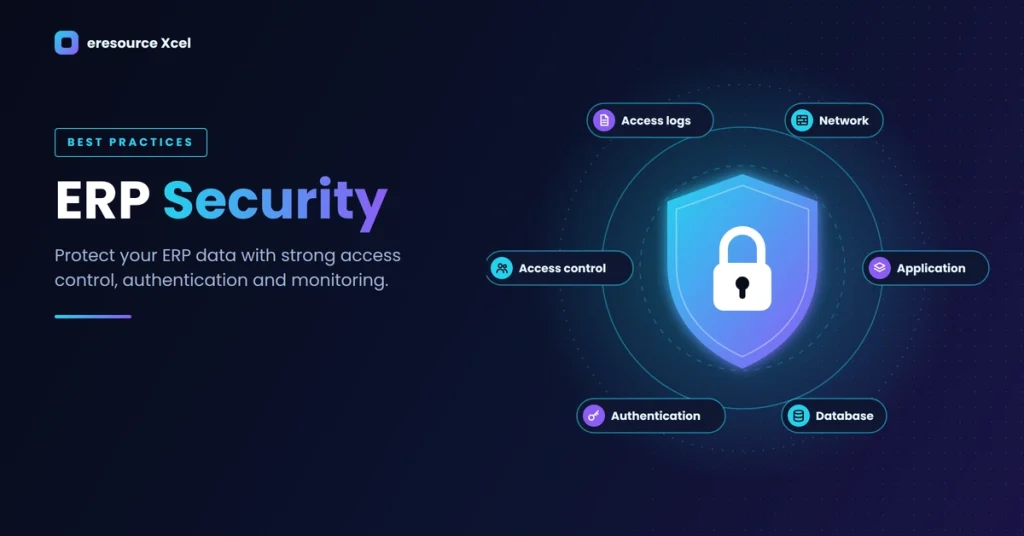
ERP Security Across Different Layers
ERP security can cover multiple parts of the technology environment.
These areas may include:
Network security
Application security
Database security
User authentication
Access management
External system interfaces
Internal business processes
Each layer can contribute to overall ERP protection.
A complete security approach should therefore consider the entire ERP environment.
Businesses should not rely on a single security feature.
Also Read
Key Parts of ERP Security
Security Policies
Businesses should maintain clear and well-defined security policies.
These policies should explain data access and user permission requirements.
They should also guide administrators when they configure user accounts.
User Authentication
Every ERP user should verify their identity before accessing ERP resources.
Strong authentication helps prevent unauthorized system access.
Businesses should also protect usernames and passwords from unauthorized use.
ERP access should follow the organization’s security requirements.
Time Restrictions
Businesses can apply time restrictions when their workflows require them.
These controls can limit access during specific periods.
However, organizations should configure them carefully.
They should consider legitimate business and emergency access needs.
Access Logs
Access logs can improve system visibility and traceability.
Administrators can review these logs to identify unusual activity.
Logs can also support security investigations after an incident.
Build a Strong ERP Security Strategy
ERP security requires continuous attention.
Businesses should review their security controls as their systems evolve.
They should also train employees and review user permissions regularly.
Security teams should monitor important system activity.
Organizations can also review their network and application controls.
Regular assessments can help identify areas that need improvement.
A strong ERP security strategy protects both technology and business information.
Conclusion
ERP systems manage critical business information and processes.
Therefore, businesses need effective security controls to protect them.
Strong authentication, access control, security policies, and monitoring can improve ERP protection.
Employee awareness also plays an important role.
Businesses should review ERP security regularly as their needs change.
They should also apply security controls across the network, application, and data layers.
With a structured approach, organizations can create a safer ERP environment.
Better security can also support reliable and efficient business operations.