


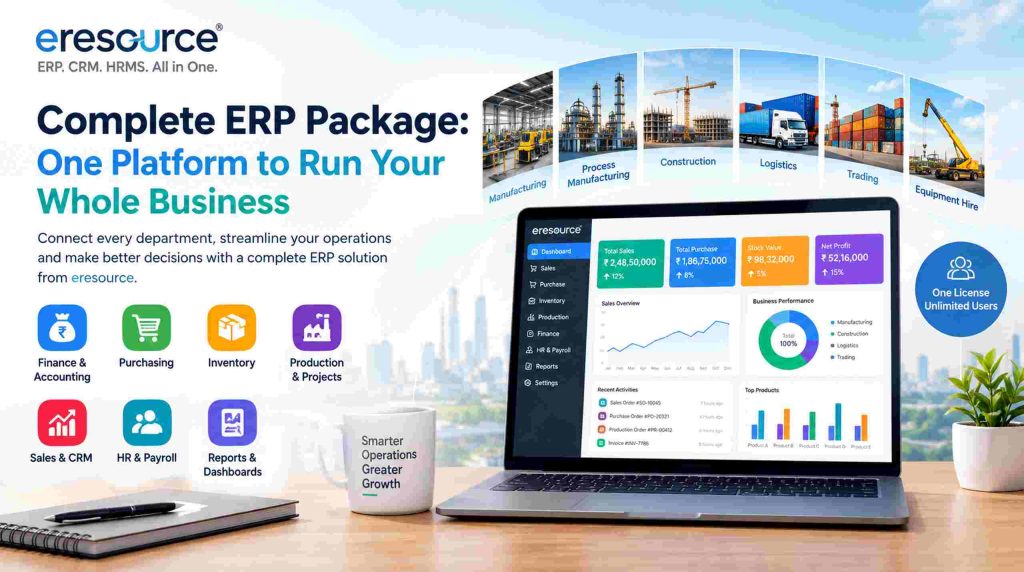
Complete ERP Package: One Platform to Run Your Whole Business
Growing businesses often run sales, stock, production and accounts in separate tools. As a result, teams type the same data twice, and managers wait weeks for reliable numbers. A complete ERP package solves this problem. It brings every core process onto one platform with one shared database.
In this guide, we explain what a complete ERP package includes and how it works. We also show how eresource ERP delivers one for manufacturing, construction, logistics and trading companies.
What Is a Complete ERP Package?
In simple terms, enterprise resource planning (ERP) software connects the core processes of a company. A complete ERP package goes one step further. It covers every main function in a single suite, such as finance, purchasing, inventory, production, sales, HR and reporting.
Because every module shares one database, one sales order updates stock, accounts and dashboards at the same time. In contrast, a basic accounting tool covers only a few of these areas. Teams then add separate apps for CRM, payroll or the warehouse. However, each extra app adds another login, another copy of your data and another integration to maintain.
What the eresource Complete ERP Package Includes
eresource ERP covers the full business cycle, from the first enquiry to the final payment. Moreover, all modules work together from day one. The core areas are:
- Finance and accounting: Manage the ledger, receivables, payables and taxes in one place.
- Purchasing: Raise purchase orders, compare vendor quotes and track every delivery.
- Inventory: See live stock across stores, locations, bins and batches.
- Production and projects: Plan work orders, BOMs and quality checks, or control project costs and BOQs.
- Sales: Move from quotation to order, dispatch and invoice without re-entering data.
- HR and payroll: Handle attendance, leave and salaries with the eresource HRMS solution.
- Reports and dashboards: Track the numbers that matter to each department.
Supplier Collaboration and Smarter Procurement
Material costs often decide your margin. That is why purchasing must link to stock and production. With eresource ERP, buyers see open orders, vendor lead times and stock levels on one screen. As a result, they order the right quantity at the right time.
In addition, approval workflows stop unplanned purchases before they happen. Vendor records also show which suppliers deliver on time. Over time, this helps you build a stronger and more reliable supply base.
Sales, CRM and Customer Service
Winning orders is only half the job. You also need to deliver on every promise you make. eresource CRM tracks leads, quotations and follow-ups in the same system as stock and production.
So, your sales team can check stock before quoting a delivery date. Similarly, customer service staff can see order status without calling the plant. This shared view leads to faster replies and more repeat business.
Industry Editions in One Complete ERP Package
Every industry works differently. For this reason, eresource offers six industry products on one shared platform:
- Discrete manufacturing: eresource Xcel
- Process manufacturing, such as pharma, chemicals and food: eresource BPro
- Construction and contracting: eresource Nfra
- Transport, logistics and fleets: eresource 3GL
- Trading and distribution: eresource eTrade
- Equipment and asset hire: rental management ERP
Each edition comes with screens and workflows for its own industry. Therefore, you get a ready fit instead of a generic template.
One License, Unlimited Users
Many ERP vendors charge a fee for every user. So the bill grows each time you hire staff or open a new branch. eresource takes a different approach. You pay one flat license per business, not per employee.
This model lets every department, plant worker and branch manager use the system. In turn, more people enter data at the source, and your reports become more accurate.
Built for Multi-Location Businesses
Some companies work from a single site. Others run several plants, warehouses and branches. eresource ERP supports both. You can manage multiple companies, locations and currencies from one system.
For example, a group with units in India and the UAE can see combined results. Meanwhile, each unit still keeps its own books and local tax rules.
Business Intelligence and Reporting
Good decisions need timely data. eresource ERP lets you slice reports by customer, project, location or department. You can also build your own dashboards with no coding.
Instead of waiting for month-end reports, managers see sales, stock and cash positions every day. Read more about ERP with business intelligence.
Cloud, Mobile and No-Code Technology
A modern ERP must work wherever your team works. With cloud ERP, staff can sign in from the office, the plant or a client site. Likewise, the eresource mobile app puts approvals and reports in their pocket.
The platform also runs on Azaalea AI with a no-code framework. With Dashboard Studio, your team can change screens, forms and workflows without writing code. In addition, open APIs connect the ERP to IoT devices and third-party apps.
Compliance Built In
Tax rules change often, and errors can be costly. Fortunately, eresource ERP includes GST, ZATCA and e-invoicing support. For businesses in the UAE, it also covers VAT and WPS payroll files. As a result, your finance team spends less time on manual returns.
How to Choose the Right Complete ERP Package
Before you compare vendors, list your must-have processes. Then check each option against these points:
- Coverage: Does it handle finance, inventory, production, sales and HR in one system?
- Industry fit: Does it offer ready workflows for your sector?
- Licensing: Will costs rise as you add users or branches?
- Compliance: Does it support GST, e-invoicing and local payroll rules?
- Access: Can your team use it on the cloud and on mobile?
- Support: Will the vendor guide you through setup, data migration and training?
Finally, ask for a live demo with your own data. A demo shows how well the system fits your daily work.
How eresource Implements Your ERP
eresource follows a proven six-step method. First, consultants map your processes during discovery. Next, they prepare a blueprint for your industry. Then they set up modules and forms with no-code tools.
After that, the team cleans and loads your master data. Your staff receive training before go-live. Lastly, our experts stay on hand to help you after launch.
Book a Demo of the Complete ERP Package
Since 2006, eresource has helped businesses replace spreadsheets and disconnected software. If you want to see a complete ERP package in action, book a free demo. Alternatively, take the free ERP readiness assessment to find gaps in your current setup.
Also Read – ERP software price
Frequently Asked Questions About a Complete ERP Package
What does a complete ERP package include?
A complete ERP package covers finance, purchasing, inventory, production, sales, CRM, HR and reporting in one system. Because all modules share one database, data flows between departments without re-entry.
How does eresource ERP licensing work?
eresource uses one flat license per business. In other words, you can add users, plants and branches without paying extra seat fees.
Which industries does eresource ERP support?
eresource offers editions for discrete and process manufacturing, construction and contracting, transport and logistics, trading and distribution, and equipment rental. In addition, CRM and HRMS work across all of them.
Can we use eresource ERP on the cloud and on mobile?
Yes. eresource ERP runs on the cloud. In addition, the mobile app lets staff approve requests and check reports on the go.
Does it support GST and e-invoicing?
Yes. eresource ERP supports GST and e-invoicing in India, as well as ZATCA in Saudi Arabia. For the UAE, it also covers VAT and WPS payroll.
How can we start with eresource ERP?
First, book a free demo to see the system with your own processes. Then our consultants map your needs and plan the rollout with you.



