


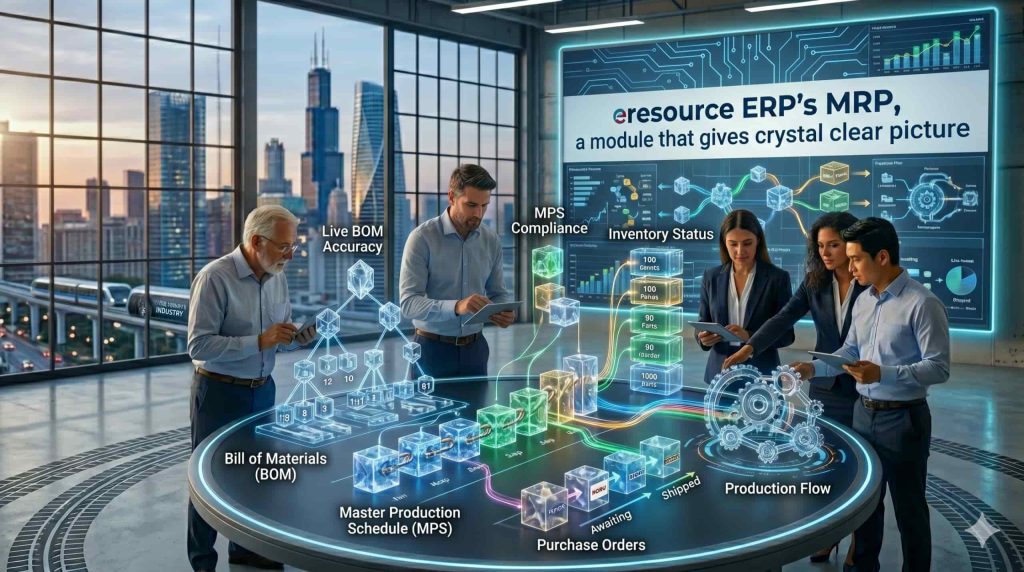
MRP in eresource ERP Is Crystal Clear: How Material Requirements Planning Works
Material Requirements Planning (MRP) sits at the heart of every manufacturing ERP. It answers the three questions a factory asks every single day: what to make or buy, how much, and by when. However, in many systems MRP behaves like a black box — it throws out suggestions nobody can explain, so planners stop trusting it. MRP in eresource ERP is crystal clear: every suggestion traces back to the demand that created it. This article explains how MRP works, what it needs, and why that clarity matters.
What Is MRP?
MRP calculates material requirements from three facts: what customers and plans demand, what each product is made of, and what already sits in stock or on order. The system nets these against each other. Then it tells you exactly which materials to purchase, which items to produce, in what quantities, and on which dates — so production never stops for a missing component, and stores never overflow with excess stock.
The Three Inputs MRP Needs
- Demand — confirmed sales orders and the production plan (the master schedule)
- Bill of Materials (BOM) — the multi-level structure of every product: each raw material, component, and sub-assembly with its quantity
- Inventory status — current stock, open purchase orders, open work orders, and the lead time for each item
Feed MRP accurate versions of these three, and the output becomes dependable. Feed it stale data, and no system can help — which is why MRP works best inside an integrated ERP where these inputs update in real time.
What MRP Gives You Back
After each run, MRP returns three kinds of output:
- Planned purchase orders — what to buy, how much, and the date to order so material arrives on time
- Planned work orders — what to manufacture and when to start, level by level through the BOM
- Action messages — which existing orders to expedite, postpone, or cancel because demand changed
In other words, MRP converts demand into a complete, dated material plan — automatically.
Why “Crystal Clear” Matters
Here is the problem with most MRP systems: planners see a suggestion (“buy 2,400 kg by the 14th”) but not the reasoning. Consequently, they doubt it, override it, and slowly return to spreadsheets. eresource designed its MRP differently. Every suggestion drills down to its source — which sales order, which BOM level, which stock position produced it. Planners verify the logic in seconds. Therefore, they trust the plan, follow it, and the business actually receives MRP’s benefits instead of paying for an ignored module.
MRP, MRP II and ERP: What Is the Difference?
Classic MRP plans materials only. MRP II (Manufacturing Resource Planning) added capacity, machines, and manpower to the calculation. ERP went further still — it placed that planning engine inside one system with finance, sales, purchase, inventory, and quality. So when you run MRP inside eresource ERP for manufacturing, the plan draws on live data from every department, not on last week’s exports.
Benefits You Can Measure
- Lower inventory — you buy what the plan needs, not what fear suggests
- Fewer stockouts — shortages surface weeks early, as action messages
- On-time delivery — production starts on dates calculated backwards from customer promises
- Less firefighting — expediting becomes the exception instead of the daily routine
MRP in eresource Xcel
eresource Xcel supports multi-level BOMs with revisions, and plans both dependent and independent demand together — a distinction we explained in our process industries guide. Because the MRP engine runs inside the integrated, web-based platform, every planner works from live stock, live orders, and live lead times. The result is the crystal-clear material plan this article promised — one your team can see through, trust, and run the factory on.
Also Read – What is Manufacturing ERP Software?
Frequently Asked Questions
Common questions about MRP in ERP
What is MRP in ERP?
MRP (Material Requirements Planning) is the ERP engine that calculates what to make or buy, how much, and by when — based on demand, bills of materials, inventory, open orders, and lead times.
What inputs does MRP need?
Three: demand (sales orders and the production plan), the multi-level Bill of Materials for each product, and inventory status including open purchase orders, open work orders, and item lead times.
What is the difference between MRP and ERP?
MRP plans materials only. ERP includes MRP but extends across the whole business — finance, sales, purchase, inventory, and quality — so the material plan runs on live company-wide data.
Does eresource ERP support MRP?
Yes. eresource Xcel runs MRP on multi-level BOMs with revisions, plans dependent and independent demand together, and lets planners drill from every suggestion back to the demand that created it.



