Manufacturing ERP Software to Eliminate Manufacturing Challenges
Manufacturing companies manage many processes every day. These include production planning, material procurement, inventory, quality control, machine maintenance, costing and order fulfillment.
When these processes operate through disconnected systems, teams can lose valuable time. Manual data entry can also create errors and reduce visibility.
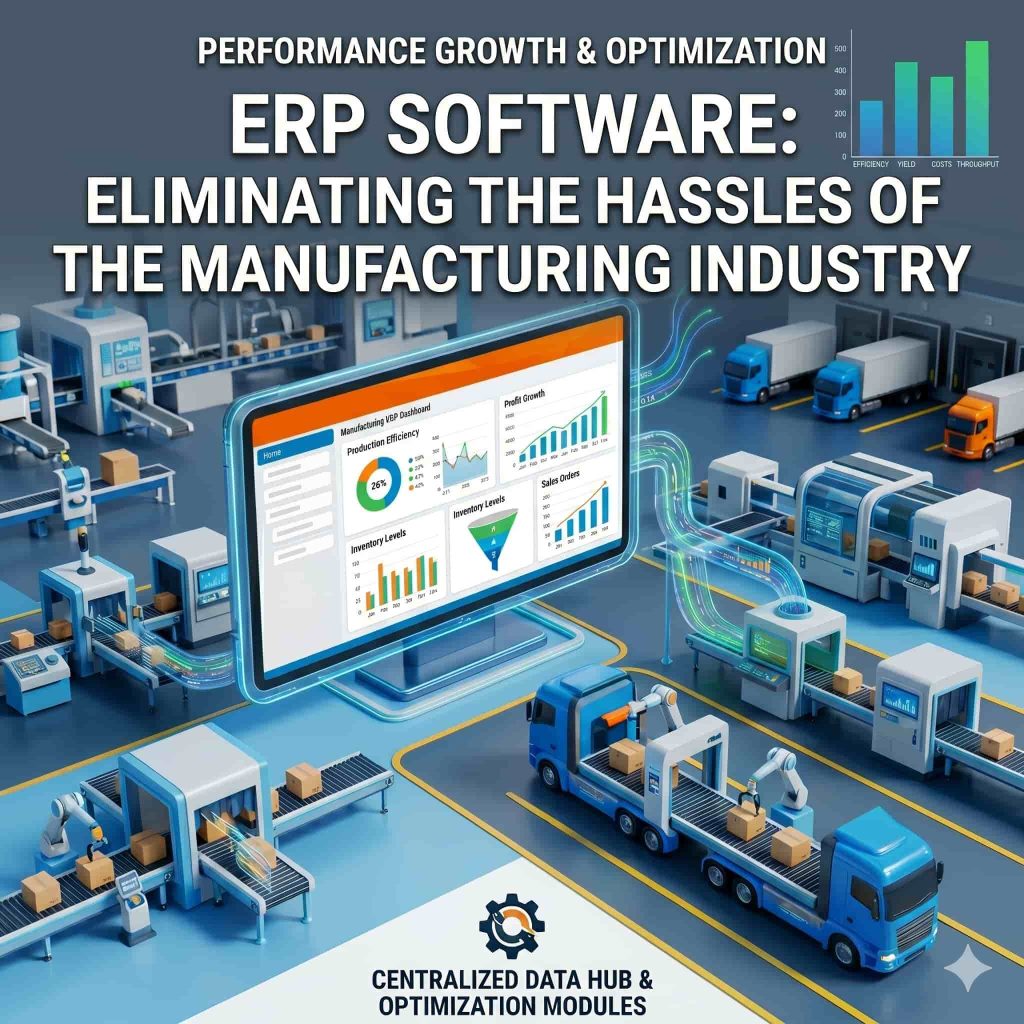
Manufacturing ERP software brings these processes together in one integrated system. It helps manufacturers connect planning, procurement, inventory, production, quality, finance and reporting.
A manufacturing ERP system can give management better visibility into operations. It can also help teams identify material shortages, production delays, quality issues and cost variances earlier.
eresource Xcel is a manufacturing-focused ERP platform designed around discrete manufacturing workflows. Its current platform covers BOM, MRP, production planning, shop-floor execution, quality, inventory, maintenance and procurement.
What Is Manufacturing ERP Software?
Manufacturing ERP software is an integrated business management solution designed for manufacturing companies.
It connects different departments through a centralized system. This allows teams to work with consistent operational data.
A manufacturing ERP system can manage:
Product information
Bill of Materials (BOM)
Engineering changes
Production planning
Material Requirements Planning (MRP)
Production scheduling
Work orders
Shop-floor activities
Inventory
Procurement
Quality control
Machine maintenance
Job work and subcontracting
Manufacturing costing
Sales and dispatch
Finance and accounting
Business reporting
Instead of maintaining separate information in multiple spreadsheets, teams can work with connected business data.
Why Do Manufacturing Companies Need ERP?
Manufacturing involves several activities that depend on each other.
A material shortage can delay production. A machine breakdown can affect delivery. A BOM change can affect purchasing and product costing.
Without an integrated system, these changes can take longer to identify and communicate.
Manufacturing ERP software creates a connected workflow between departments.
It helps businesses monitor:
Production requirements
Material availability
Purchase requirements
Production schedules
Work order progress
Inventory levels
Quality results
Machine availability
Production costs
Customer orders
This centralized visibility can help managers make decisions using current operational information.
Common Challenges in the Manufacturing Industry
Manufacturers often face challenges that affect productivity, cost and delivery performance.
1. Manual Data Entry
Manufacturing teams may enter the same information into different systems.
This increases repetitive work and creates opportunities for data errors.
An integrated ERP system can reduce duplicate data entry by connecting related processes.
2. Poor Production Planning
Production schedules depend on demand, material availability, machine capacity and workforce availability.
Without connected planning information, production teams may struggle to create realistic schedules.
ERP software can connect demand, inventory, MRP and production planning.
3. Material Shortages
A production order may require many raw materials and components.
If a required material is unavailable, production can stop.
MRP helps manufacturers calculate material requirements using production plans, BOMs, inventory and purchase information.
4. Excess Inventory
Manufacturers also need to avoid unnecessary inventory.
Excess stock can increase storage and carrying costs.
ERP-based inventory visibility can help purchasing and production teams make better stocking decisions.
5. Limited Shop-Floor Visibility
Management may not always have immediate information about production progress.
Manual shift reports can delay important updates.
Modern manufacturing ERP systems can provide real-time production information from the shop floor.
6. Quality Issues
Quality problems can lead to rework, scrap, customer complaints and additional costs.
An integrated quality module can connect inspection activities with production and inventory.
7. Machine Downtime
Unexpected machine breakdowns can interrupt production schedules.
Maintenance management helps manufacturers plan preventive maintenance and track breakdown activities.
8. Difficulty Tracking Costs
Manufacturers need accurate information about material, labour and production costs.
Without integrated costing, managers may find it difficult to identify cost variances.
ERP can connect production information with cost analysis.
How Manufacturing ERP Software Solves These Challenges
A manufacturing ERP system can connect the complete production lifecycle.
Production Planning
Manufacturers can plan production based on demand, available resources and material requirements.
Production planning can help teams define:
What to manufacture
Quantity to manufacture
Required materials
Required machines
Required manpower
Planned production dates
Current Xcel capabilities include production planning and scheduling based on demand, machine capacity, shifts and resource availability.
Bill of Materials Management
The Bill of Materials defines the components and materials required to manufacture a product.
ERP software can maintain multi-level BOMs and connect them with production and costing.
Current Xcel functionality includes multi-level BOM structures, revisions, costing and production linkage.
Material Requirements Planning
MRP helps calculate the materials required for planned production.
It can consider:
Production requirements
BOM quantities
Existing inventory
Open purchase orders
Vendor lead times
This helps procurement teams identify shortages before they affect production.
Production Work Orders
Production plans need to become executable work orders.
ERP software can convert production requirements into work orders and assign resources.
Teams can then track:
Planned quantity
Produced quantity
Material consumption
Job progress
Production status
Hold reasons
Completion
Current eresource Xcel documentation includes work-order management with resource allocation, job cards, progress tracking and production status updates.
Shop-Floor Management
Shop-floor visibility helps supervisors monitor production activities.
Manufacturing ERP can connect work orders with actual production activity.
Teams can track:
Operator tasks
Machine activity
Production output
Downtime
Scrap
Rework
Work-in-progress
Current Xcel materials describe operator-level tracking, machine logs, stoppage reasons and real-time shop-floor updates.
Inventory Management
Inventory management is critical for manufacturing businesses.
ERP software can provide visibility into:
Raw materials
Components
Work-in-progress
Finished goods
Batch stock
Serial numbers
Material movements
This can help stores, production and procurement teams work with the same information.
Procurement Management
Manufacturing procurement must match production requirements.
An ERP system can connect MRP with purchasing.
Procurement teams can manage:
Purchase requirements
Purchase orders
Suppliers
Material receipts
Vendor performance
Pending deliveries
This helps reduce communication gaps between procurement and production.
Quality Management
Quality control can take place at different stages of manufacturing.
ERP software can support:
Incoming inspection
In-process inspection
Final inspection
Rejection tracking
Non-conformance management
Corrective actions
Quality reporting
Current Xcel supports integrated quality processes across incoming, in-process and final inspection.
Maintenance Management
Production equipment requires regular maintenance.
ERP software can help manage:
Preventive maintenance
Breakdown maintenance
Maintenance schedules
Machine history
Spare parts
Maintenance work orders
Planned maintenance can help teams manage equipment-related activities more systematically.
Manufacturing Costing
Cost information helps manufacturers understand product profitability.
ERP software can connect costing with:
BOM
Material consumption
Labour
Production activities
Machine usage
Scrap
Rework
Purchase costs
Managers can compare planned costs with actual costs and investigate variances.
Benefits of Manufacturing ERP Software
A properly configured manufacturing ERP system can support several operational improvements.
Better Production Visibility
Management can access production information through a centralized system.
Improved Material Planning
MRP connects production requirements with material planning.
Better Inventory Control
Teams can track material availability and stock movements more effectively.
Reduced Manual Work
Integrated workflows can reduce repetitive data entry.
Improved Quality Tracking
Quality information can remain connected with production and inventory records.
Better Machine Management
Maintenance workflows help teams organize preventive and breakdown maintenance.
Improved Cost Visibility
Manufacturers can compare planned and actual production costs.
Faster Decision-Making
Management can use centralized information for operational decisions.
Better Delivery Planning
Production scheduling and material availability can provide better visibility into order fulfillment.
Manufacturing ERP for Discrete Manufacturing
Discrete manufacturers produce identifiable products, components and assemblies.
Examples include:
Automotive components
Engineering goods
Machinery
Electronics
Electrical products
Metal fabrication
Pumps and valves
Industrial equipment
Medical devices
Rubber products
eresource Xcel is currently positioned as a dedicated ERP platform for discrete manufacturing and lists more than 20 manufacturing types.
Manufacturing ERP for Make-to-Stock and Make-to-Order
Different manufacturing models require different workflows.
Make-to-Stock
Products are manufactured based on expected demand.
ERP helps manage forecasts, production plans and inventory.
Make-to-Order
Production starts after receiving a customer order.
ERP connects the order with BOM, material planning and production.
Engineer-to-Order
Products require customer-specific engineering.
ERP can connect engineering changes, BOMs, procurement, production and costing.
Job-Based Manufacturing
Each customer job may require separate planning and costing.
ERP helps track material, production activity and job profitability.
Manufacturing ERP and Real-Time Shop-Floor Data
Modern manufacturers increasingly need real-time information.
A connected ERP system can provide visibility from the office to the factory floor.
Current eresource Xcel capabilities include shop-floor integration, machine information and real-time production visibility. The platform also describes IoT connectivity with CNC machines, PLCs and SCADA systems.
This can help managers monitor:
Machine utilization
Production output
Downtime
Work-in-progress
Quality information
Production efficiency
Manufacturing ERP and Artificial Intelligence
Artificial intelligence can add another layer of intelligence to ERP data.
Current eresource Xcel materials describe AzaaleaGPT as an AI layer for manufacturing operations. The company describes use cases such as identifying material shortages, production delays and quality trends.
AI-based alerts can help managers focus on issues that require attention.
However, the value of AI depends on the quality and completeness of the underlying ERP data.
Mobile ERP for Manufacturing Teams
Manufacturing activities take place on the shop floor, not only in offices.
Mobile ERP can allow production operators, quality inspectors and maintenance teams to update information from the factory floor.
Common mobile activities include:
Job card updates
Production quantity entry
Barcode scanning
Quality inspection
Maintenance requests
Downtime reporting
Material movement
Current Xcel materials describe mobile capabilities for production, quality, maintenance and barcode or QR scanning.
Manufacturing ERP Modules
| ERP Module | Main Purpose |
|---|---|
| BOM Management | Product structure and component management |
| Production Planning | Production quantity and schedule planning |
| MRP | Material requirement calculation |
| Work Orders | Production execution and tracking |
| Shop Floor | Real-time production visibility |
| Inventory | Stock and material movement |
| Purchase | Procurement and supplier management |
| Quality | Inspection and non-conformance management |
| Maintenance | Machine and equipment management |
| Costing | Product and production cost analysis |
| Sales | Customer orders and sales management |
| Dispatch | Finished-goods delivery management |
| Finance | Accounting and financial management |
| Reporting | Management dashboards and analytics |
How to Choose Manufacturing ERP Software
Manufacturers should evaluate ERP software according to their actual production requirements.
Consider the following areas before selecting a system.
Manufacturing Functionality
Check whether the system supports your production model, BOM structure, routing and shop-floor workflow.
Scalability
The ERP should support additional products, users, plants and manufacturing processes as the company grows.
Integration
Check whether production, inventory, procurement, sales and finance can work through connected processes.
Reporting
The system should provide useful reports for production, inventory, quality and financial management.
Mobile Access
Check whether factory teams can record production and operational information from the shop floor.
Implementation Support
Review implementation, training, data migration and support processes.
Customization
Check whether the ERP can adapt to specific business workflows without creating unnecessary complexity.
Why eresource Xcel for Manufacturing?
eresource Xcel is positioned as a manufacturing-specific ERP rather than a generic ERP with manufacturing functionality added later.
The current platform focuses on discrete manufacturing and provides modules for BOM, production planning, MRP, work orders, shop-floor management, quality, maintenance, inventory and purchase.
The company currently states that it has more than 20 years of manufacturing ERP experience and that Xcel is live across 400+ factories. These are company-reported figures.
Manufacturing ERP Implementation Process
A successful implementation needs structured planning.
A typical process includes:
Map existing manufacturing processes.
Identify operational problems.
Define ERP requirements.
Select relevant modules.
Prepare master data.
Configure the system.
Migrate required data.
Train users.
Test business processes.
Go live.
Monitor adoption and performance.
Improve workflows over time.
Proper implementation helps employees understand the new system and reduces disruption.
Conclusion
Manufacturing companies need accurate information to control production, materials, inventory, quality and costs.
Manufacturing ERP software brings these activities into one connected platform. It helps teams move from disconnected spreadsheets and manual processes toward centralized operational management.
With capabilities such as BOM management, MRP, production planning, work orders, shop-floor control, quality management, inventory, maintenance and costing, an ERP system can provide manufacturers with greater operational visibility.
eresource Xcel is designed around discrete manufacturing workflows and provides an integrated platform for manufacturers looking to digitize production and related business operations.
For manufacturers evaluating ERP software, the key is to select a system that matches their production model, operational requirements, reporting needs and long-term growth plans.
Frequently Asked Questions
Common questions about manufacturing ERP
What is manufacturing ERP software?
Manufacturing ERP software is an integrated system that helps manufacturers manage production, materials, inventory, procurement, quality, costing, maintenance, sales and finance.
How does ERP eliminate manufacturing problems?
ERP connects manufacturing processes through one system. It can reduce duplicate data entry, improve material visibility, support production planning and provide better information about costs and quality.
Can manufacturing ERP manage BOM?
Yes. Manufacturing ERP systems can manage product structures and multi-level BOMs. Current Xcel capabilities include BOM revisions, costing and production linkage.
What is MRP in manufacturing ERP?
MRP stands for Material Requirements Planning. It calculates material requirements based on production demand, BOMs, inventory and related supply information.
Can ERP track shop-floor production?
Yes. Manufacturing ERP can connect work orders with shop-floor activities. Current Xcel functionality includes job cards, operator tracking, machine logs and real-time production updates.
Can ERP help control manufacturing costs?
Yes. ERP can connect BOM, material consumption, production activity and other cost information. This gives management better visibility into planned and actual costs.
Is manufacturing ERP useful for small and medium manufacturers?
Yes. The appropriate ERP configuration depends on production complexity, number of users, product structure, inventory requirements and growth plans.